Tutorials & tips
Published:
02 Mar, 2025
Top Confluence alternatives and competitors in 2026


AI summary
Teams often seek Confluence alternatives to gain better technical documentation workflows, a cleaner reading experience, or improved search and knowledge discovery. This guide evaluates top 2026 competitors, including GitBook, Slite, and Nuclino, while offering advice on selecting the right platform based on your specific collaboration and publishing needs.
This article was last updated on 27 April, 2026.
If you’re comparing Confluence alternatives, it’s typically because you need a new tool to share knowledge, create documentation, collaborate with others and organize your work.
Atlassian Confluence is one of the oldest documentation and collaboration platforms on the market. But it isn’t the right fit for every team. Many teams start looking for a Confluence replacement because they want faster editing, better search, stronger technical documentation workflows, or a cleaner reading experience.
This guide compares the best Confluence alternatives in 2026. It covers tools for technical documentation, internal knowledge bases, company wikis, and collaborative team docs.
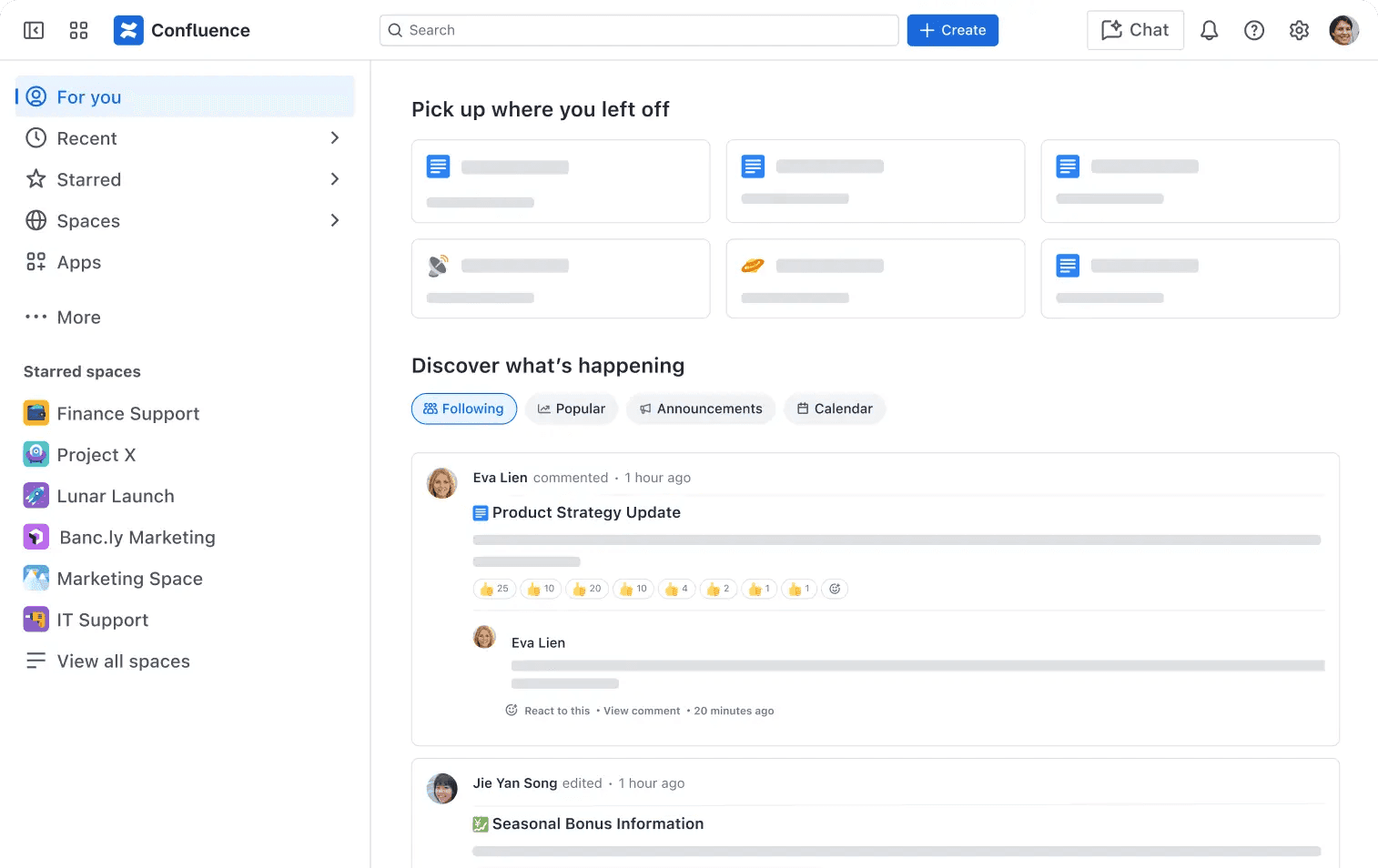
What is Confluence?
Confluence is Atlassian’s documentation and collaboration platform, and a complimentary tool for Jira. It’s designed primarily for enterprises, and teams use it for internal wikis, project notes, process docs, meeting records, and company knowledge bases.
It works especially well for organizations that already rely on Jira and the wider Atlassian stack. But it also reflects an older style of documentation software. If you want a more focused documentation platform, a more modern editor, or a better publishing experience, there are now plenty of strong alternatives.
Why teams look for Confluence alternatives
There are a few common reasons teams move away from Confluence:
They need better technical documentation workflows – especially if engineers and non-technical contributors both need to edit docs.
They want a simpler team wiki – with clearer structure, cleaner navigation, and less UI overhead.
They need a better published documentation experience – for customers, developers, or partners.
They want stronger search and knowledge discovery – especially across large internal knowledge bases.
They need a better fit for price, permissions, or scalability – without adopting a broader Atlassian stack.
Top Confluence alternatives at a glance
Tool | Best for | Main advantage over Confluence | Watch-out |
|---|---|---|---|
GitBook | Technical and developer-first documentation alongside an internal knowledge base | Runs internal, technical, API, and public documentation from the same platform | More focused on structured documentation and publishing than a general-purpose workspace |
Notion | Internal knowledge bases and collaborative team docs | Combines documentation with a broader team workspace | Technical and public documentation needs may require a more specialized platform |
Slite | Clean internal knowledge bases for less technical teams | Simple collaboration and AI-assisted knowledge discovery | Less focused on technical documentation |
Guru | Verified answers delivered through workflow tools like Slack | Surfaces maintained knowledge where teams already work | Uses a more opinionated knowledge model |
Slab | Teams that want a clean wiki with fast search | Focuses on straightforward knowledge organization and discovery | Fewer enterprise and workflow features |
Nuclino | Lightweight team wikis | Offers a cleaner, simpler interface | Does not cover deeper documentation needs as well as specialized platforms |
Outline | Developer-oriented teams that want a self-hosted, Markdown-based wiki | Provides greater control through self-hosting | Smaller ecosystem |
Document360 | Teams comparing dedicated knowledge base platforms | Offers a documentation-focused alternative to Confluence | Not covered in detail below |
SharePoint | Microsoft 365 organizations | Integrates tightly with OneDrive, Teams, and Microsoft 365 | Less suited to polished public or developer documentation |
1. GitBook
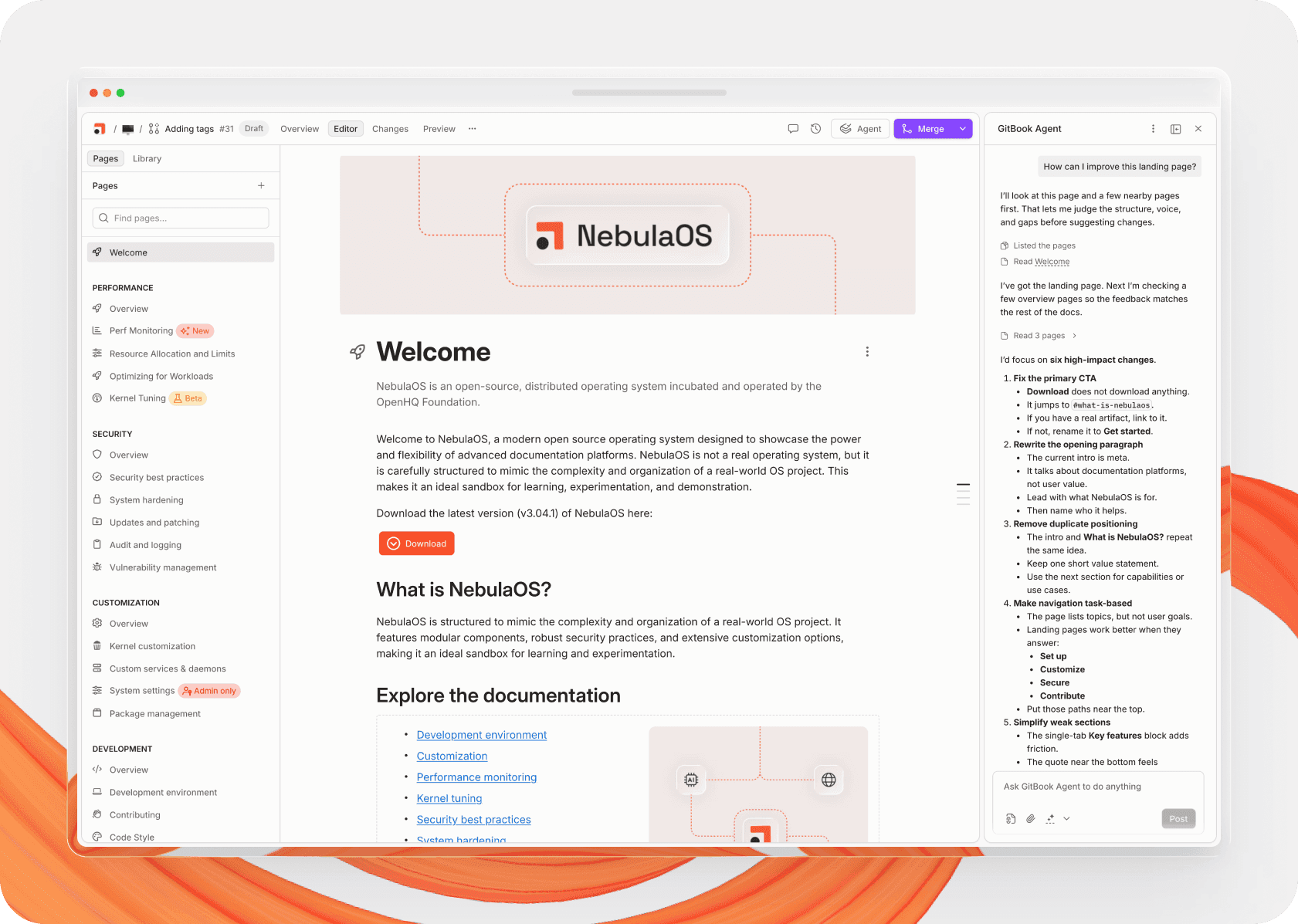
GitBook is one of the strongest Confluence alternatives, particularly for teams that care about both collaboration for contributors, and high-quality, access-controlled documentation for the rest of the team. It has tools to help you build and privately publish a central knowledge hub with authentication handling who gets access. And its modern editing flow is designed for technical and non-technical contributors alike.
For technical documentation, GitBook stands out because it supports both visual editing and a two-way sync with GitHub or GitLab. That means developers contribute from Git, while other contributors work in the intuitive visual editor. It also combines real-time collaboration with a branch-based review workflow, allowing you to maintain a single source of truth that contributors can update whenever they need to — giving teams control than with a standard wiki.
A built-in AI Assistant trained on your documentation helps everyone on your team find the information they need faster. Meanwhile, AI editing tools help contributors write and maintain the knowledge base by pulling in context from third-party tools and user prompts.
In general, GitBook puts more focus on publishing documentation than most Confluence competitors. If you want to create customer docs, product documentation, API docs, or an internal knowledge base — all from the same platform — it’s a very strong fit.
2. Microsoft SharePoint
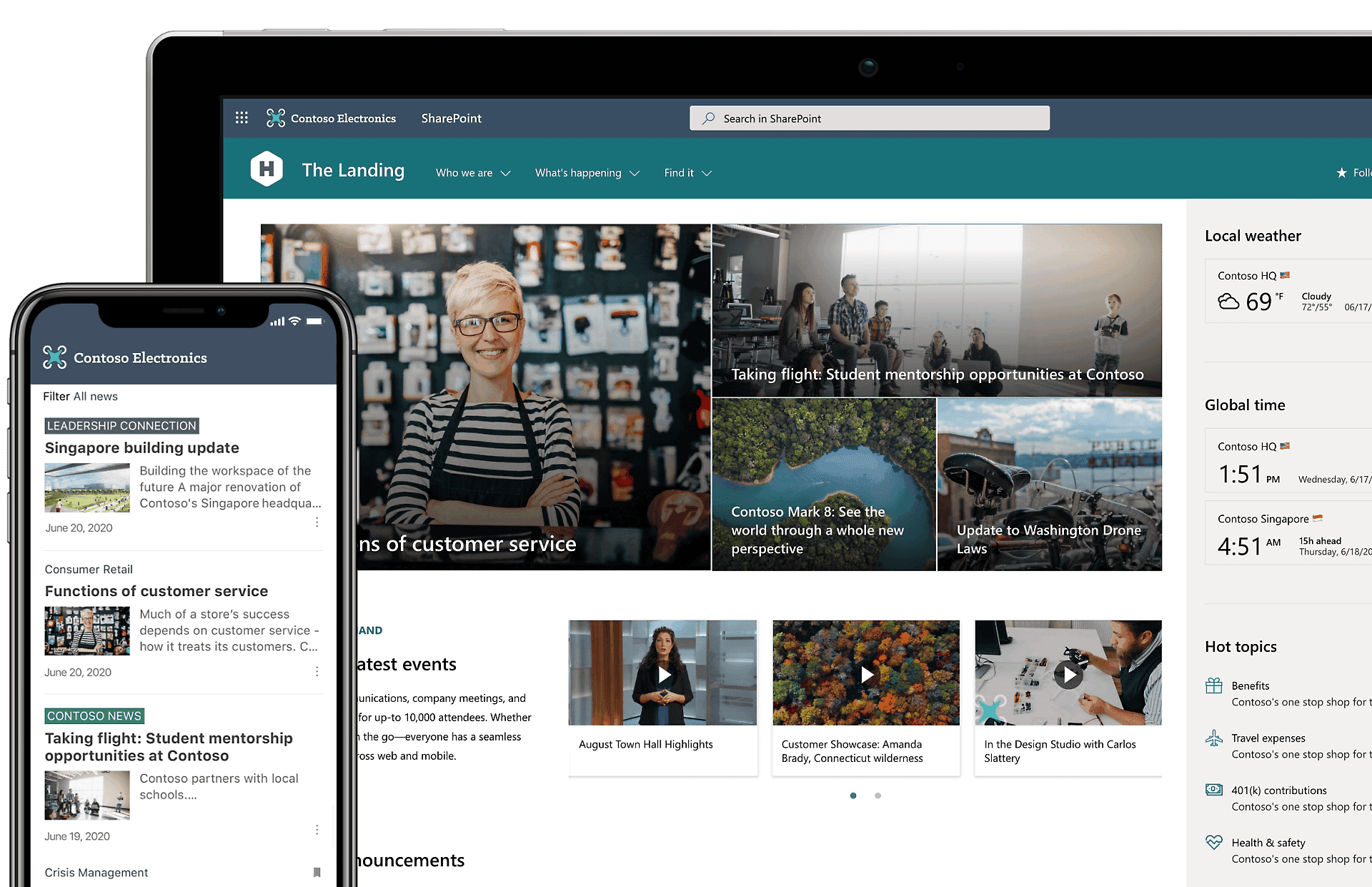
SharePoint is less of a documentation platform and more of an intranet, document management, and internal collaboration tool. But if your company already runs on Microsoft 365, it can be a practical Confluence alternative.
Its biggest advantage is obvious: it integrates tightly with Microsoft’s ecosystem, including OneDrive, Teams, and the rest of Microsoft 365. That makes it useful for organizations that want an internal wiki or knowledge base without adding another major tool.
SharePoint is a strong choice for internal documentation and company knowledge management. It’s less compelling if your priority is polished public documentation or technical docs for developers.
3. Slite
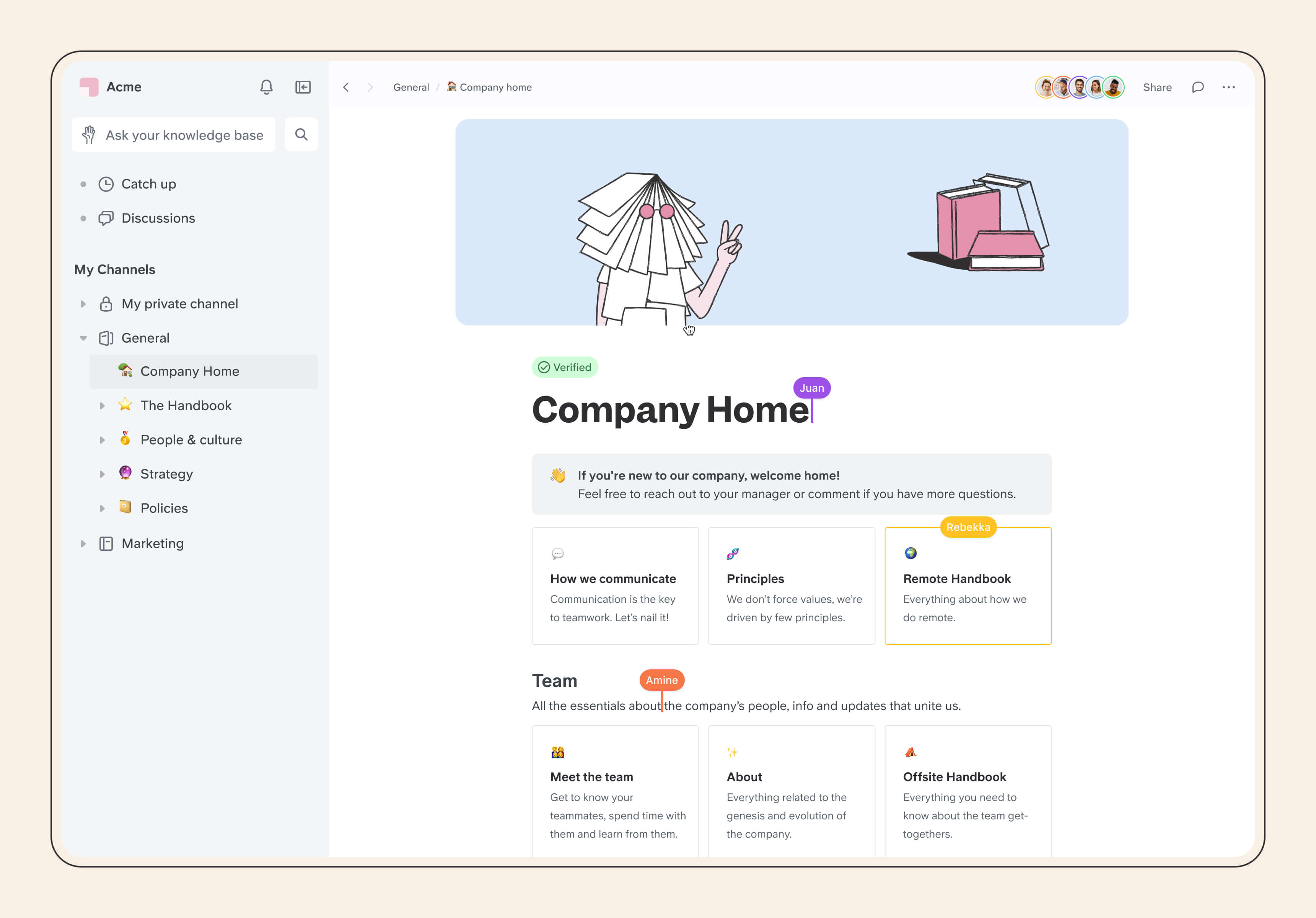
Slite is a Confluence competitor for internal knowledge sharing that leans heavily into AI tools. It’s built for less technical teams that want a clean interface, simple collaboration, and AI-assisted knowledge discovery without a heavy setup process.
You can organize content into channels, verify important documents, and keep internal team knowledge easier to maintain. Slite is less focused on technical documentation than GitBook, but it’s a compelling option if your main goal is an internal knowledge base for the broader company.
4. Nuclino
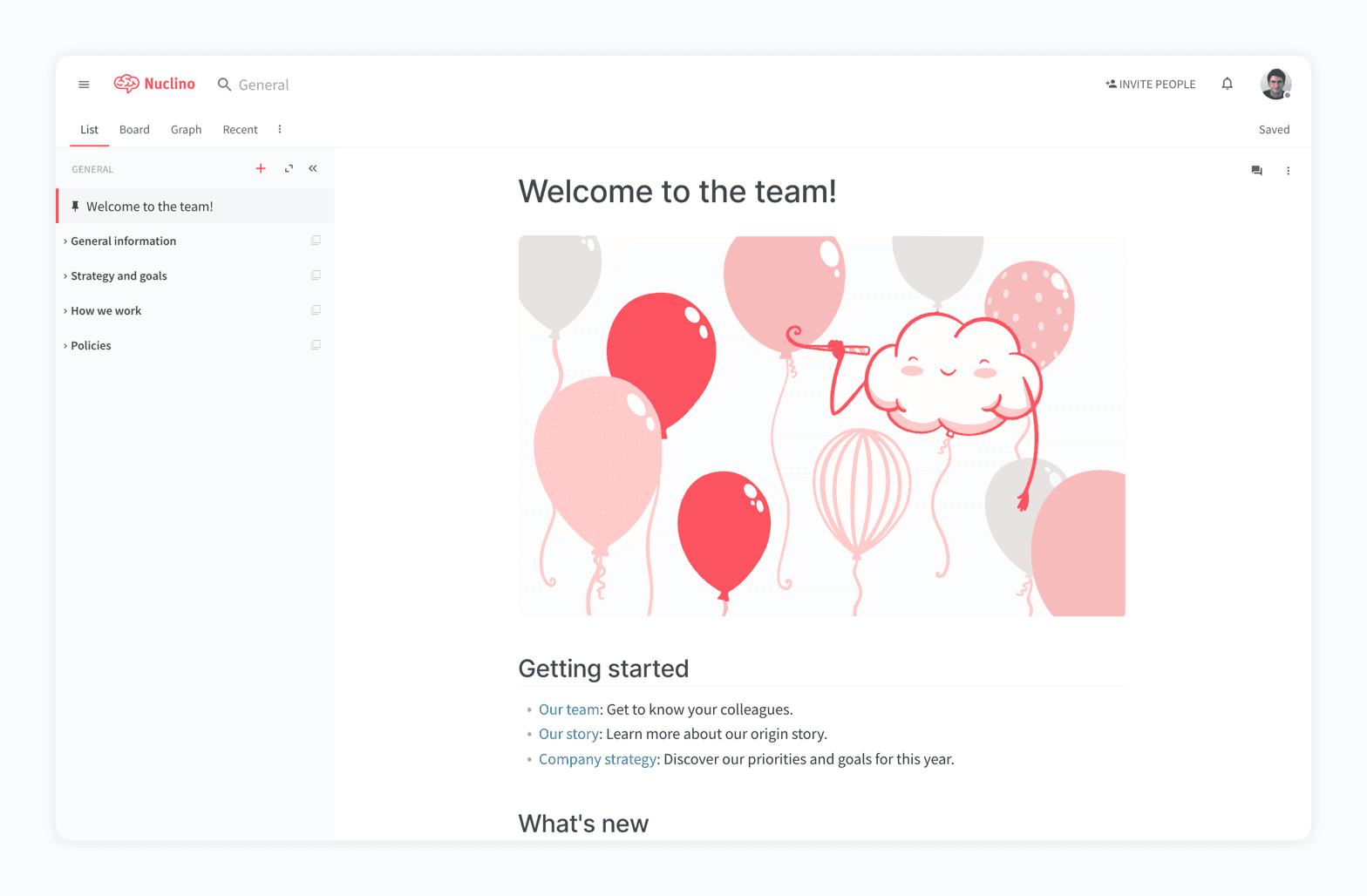
If simplicity matters more to you and your team than depth, Nuclino is one of the best tools like Confluence. It gives teams a lightweight wiki and knowledge base with a much cleaner interface than Atlassian’s offering.
That simplicity is the whole point. Nuclino strips back a lot of features and focuses on creating, organizing, and sharing team knowledge. If your team feels overwhelmed by Confluence, Nuclino may be an easier switch.
It also offers multiple content views, including lists, boards, tables, and a graph view. That makes it a flexible internal wiki, even if it doesn’t cover deeper documentation needs as well as more specialized platforms.
5. You Need A Wiki
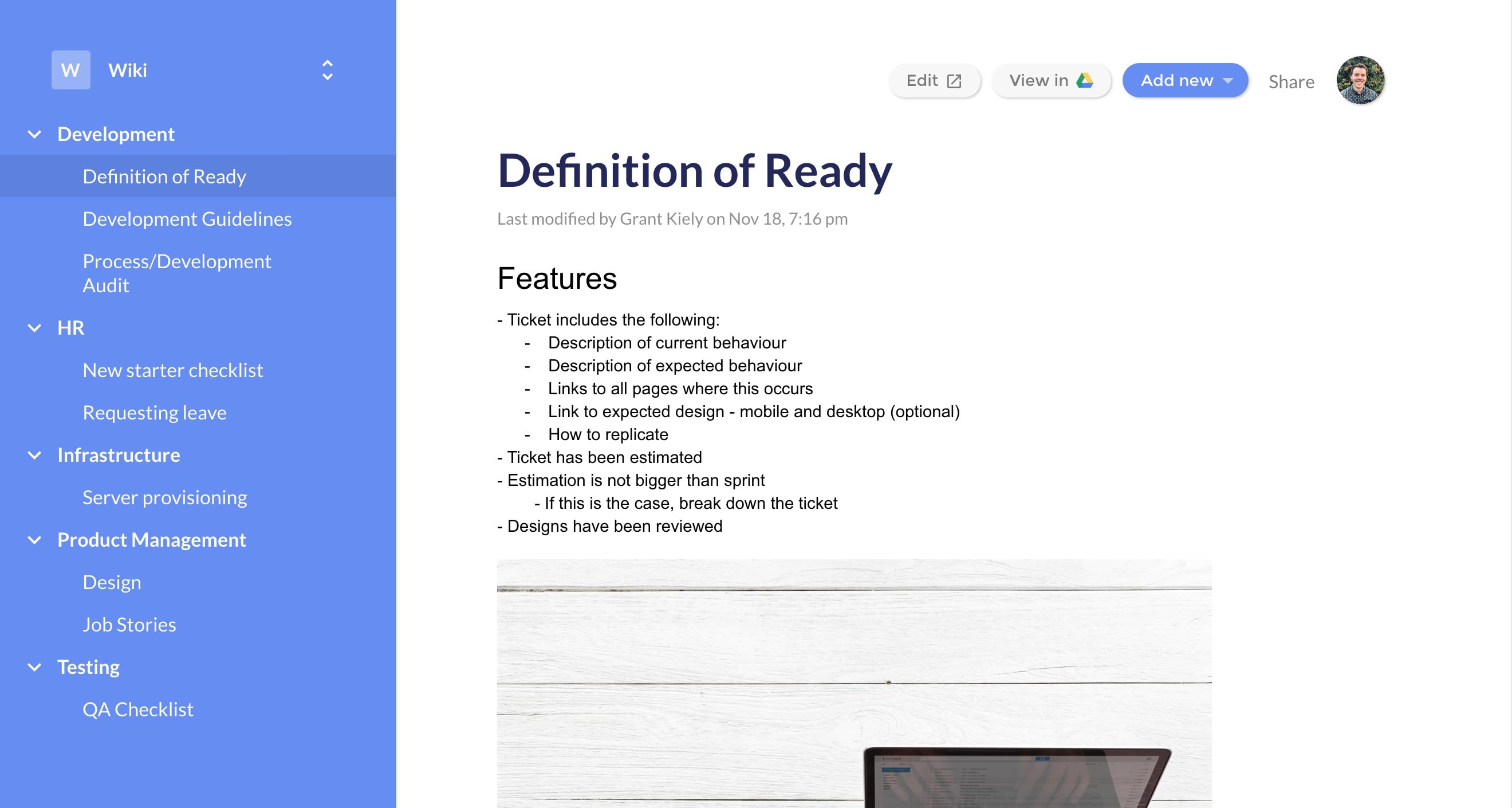
If all you need from a Confluence alternative is a simple wiki, You Need A Wiki is a specific but useful Confluence alternative if your team already lives in Google Docs. It connects to Google Drive and turns your existing folder structure into a simple wiki experience.
Its value is speed and familiarity. You can keep working in Google Docs, but get a more navigable team wiki layered on top. That makes it appealing for small teams that want better organization without moving into a full documentation platform.
It’s deliberately lightweight, so doesn’t scale well for larger teams. Collaboration and document management still happen in Google Drive, so it won’t replace more advanced documentation software. But for small, Google-centric teams that aren’t focused on growth, it might be worth a look.
6. Quip
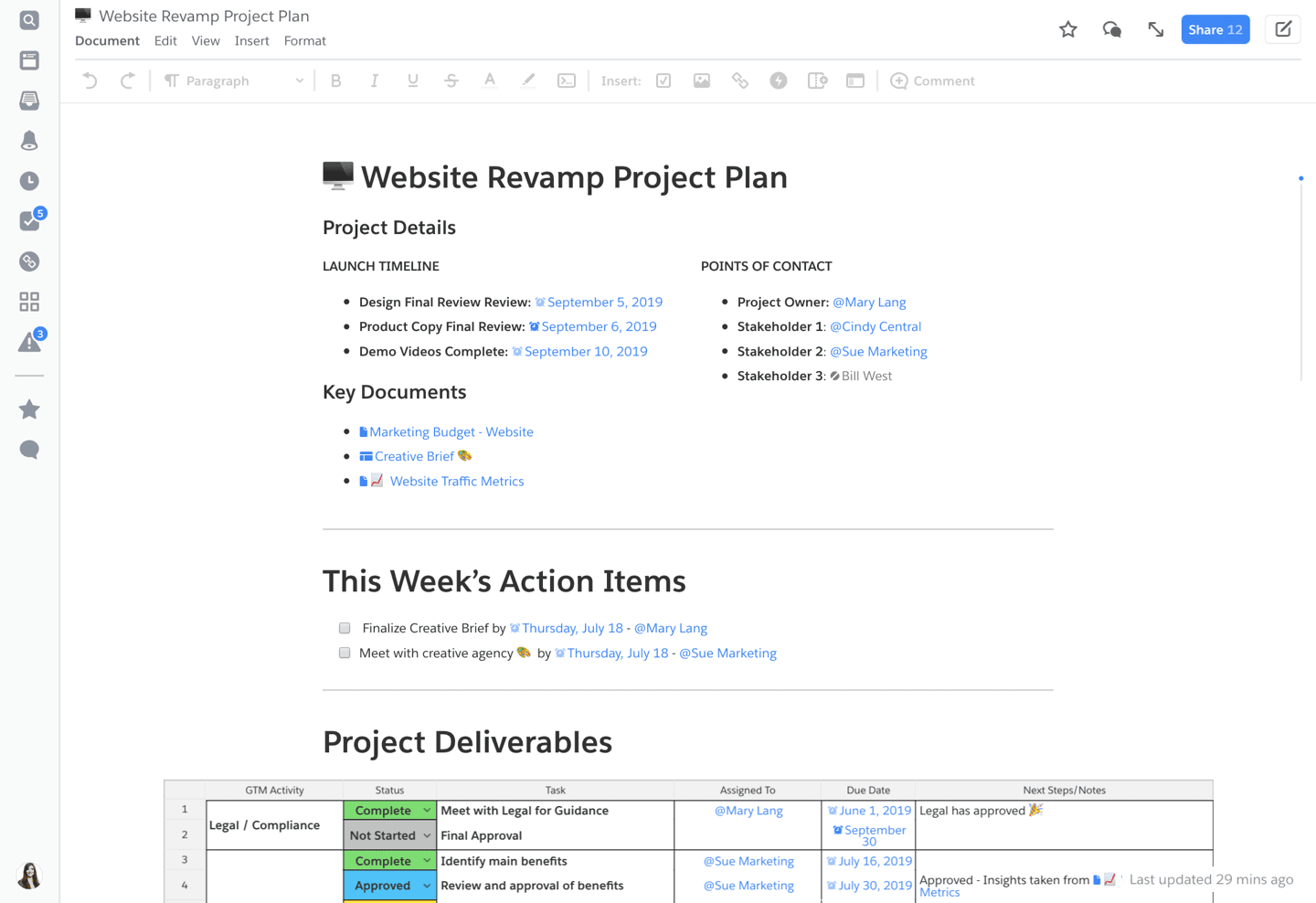
Quip blends documents, spreadsheets, chat, and collaboration in one place. That makes it a more collaborative workspace than a pure documentation platform — which may or may not match what you need from a Confluence replacement.
It’s especially relevant for Salesforce-centric teams. If your work already revolves around Salesforce, Quip can act as a connected internal documentation and collaboration layer. If you need structured technical documentation or a stronger public docs experience, other alternatives will fit better.
7. Tettra

Tettra positions itself as a simpler alternative to Confluence for internal knowledge management. It focuses on FAQs, verified answers, AI-powered search, and integrations with workplace tools like Slack.
That makes it useful for onboarding, internal help content, and repeated team questions. It’s much more streamlined than Confluence, but the tradeoff is that Tettra is narrower. It doesn’t offer the same breadth of collaboration or documentation workflows that you get from platforms like Confluence, GitBook, or Nuclino.
8. Coda
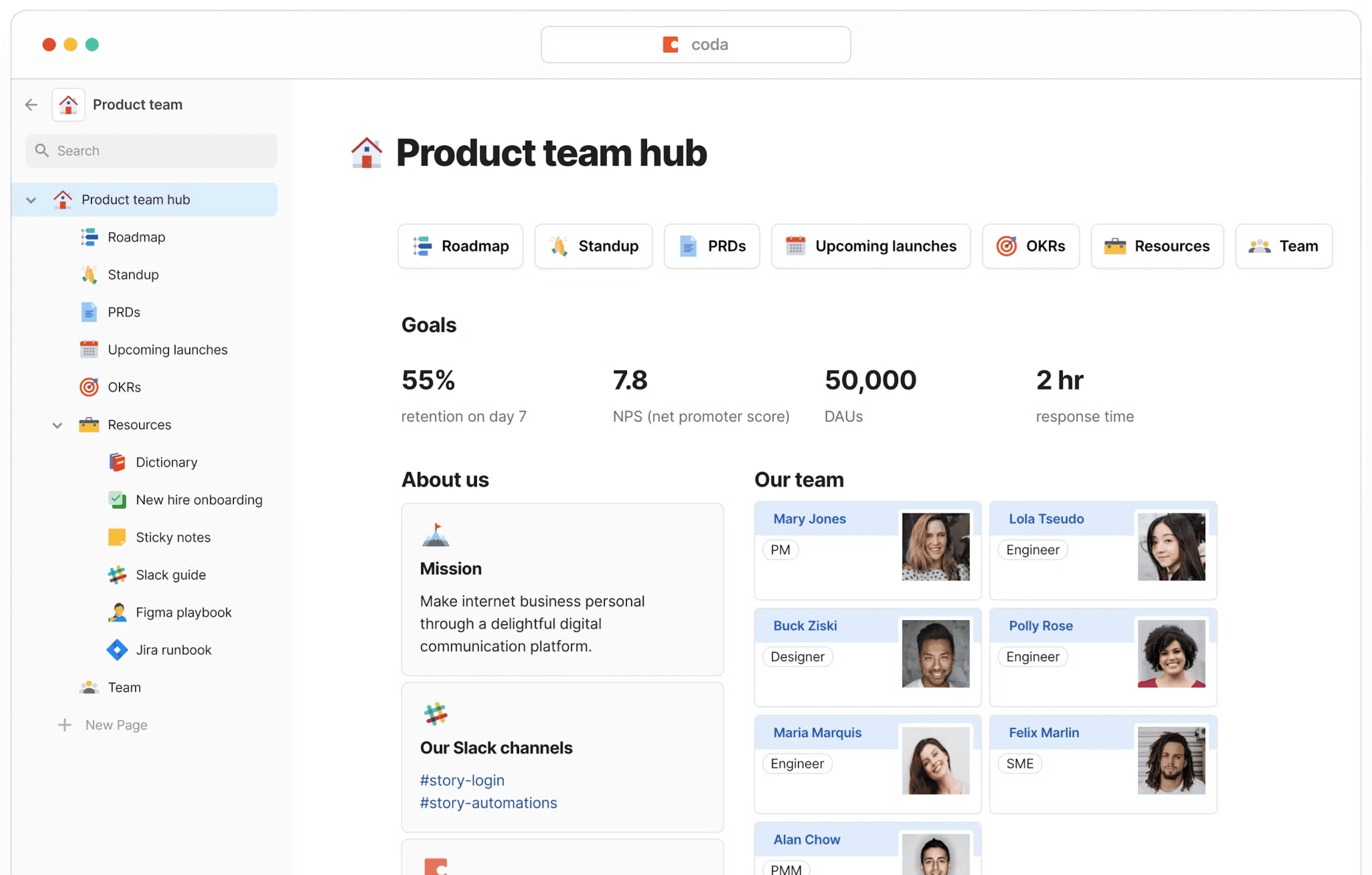
Coda is a broader workspace product that combines docs, tables, workflows, and lightweight apps. If you’re replacing Confluence because you want one tool to handle documentation plus operational workflows, and don’t mind complexity, Coda might work for you.
It goes beyond a standard wiki or knowledge base, and actually does more than Confluence. You can build hubs, databases, automations, and shared operating documents in the same environment. That flexibility is powerful, but it makes the learning curve steeper than the already-complex Confluence.
If you want a documentation platform first, Coda may feel too broad. If you want documentation plus process management, it might be right for your team.
Free and open source Confluence alternatives
Google Drive
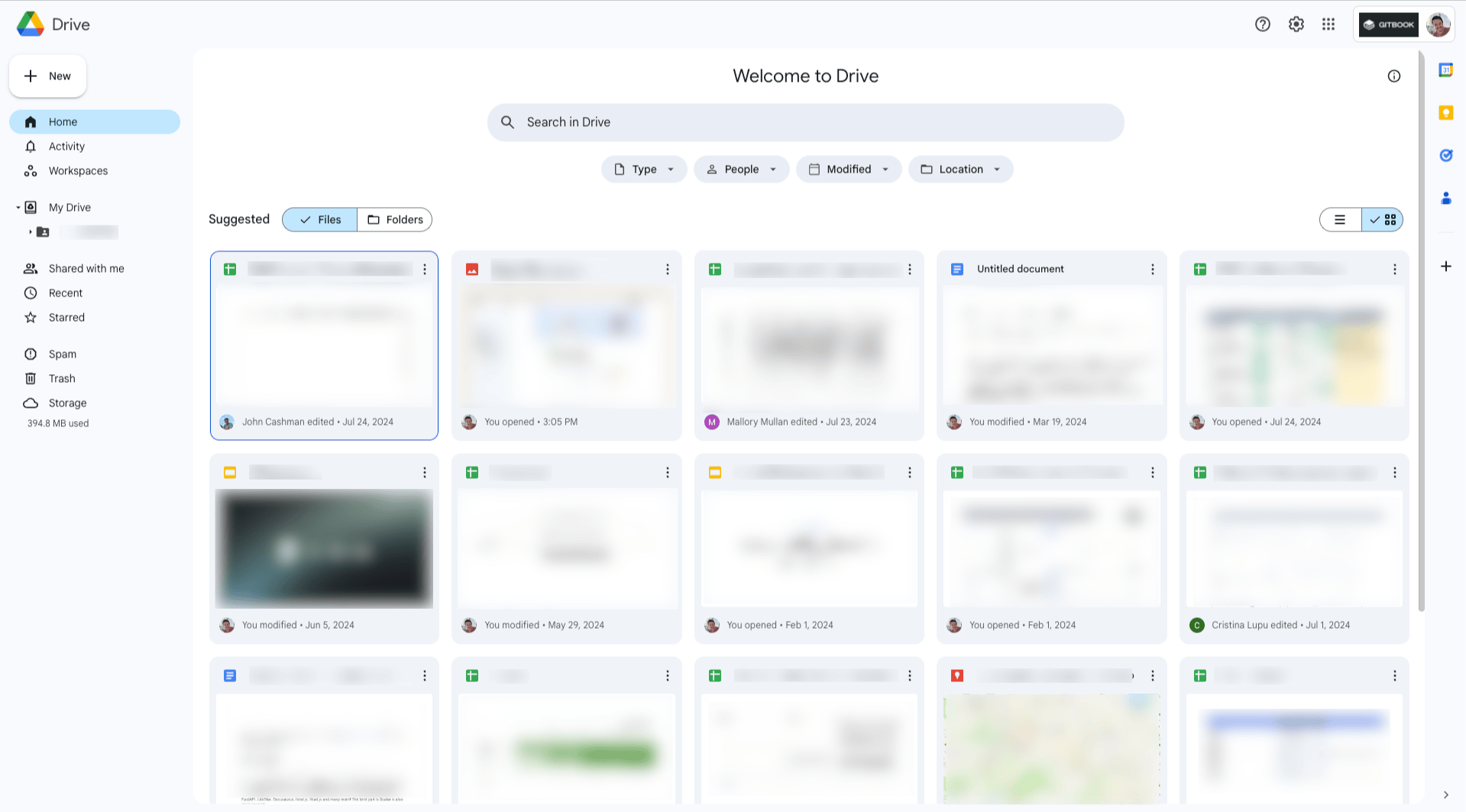
If you already use Google Drive, it can work as a basic free Confluence alternative. It gives you real-time collaboration, comments, sharing controls, and wide familiarity across most teams.
It isn’t dedicated documentation software, and it won’t give you the structure of a real team wiki or knowledge base. But for lightweight internal docs, it’s still one of the easiest free options.
If your team needs more structure later, tools like You Need A Wiki can extend it, or you can migrate into a stronger documentation platform.
BookStack
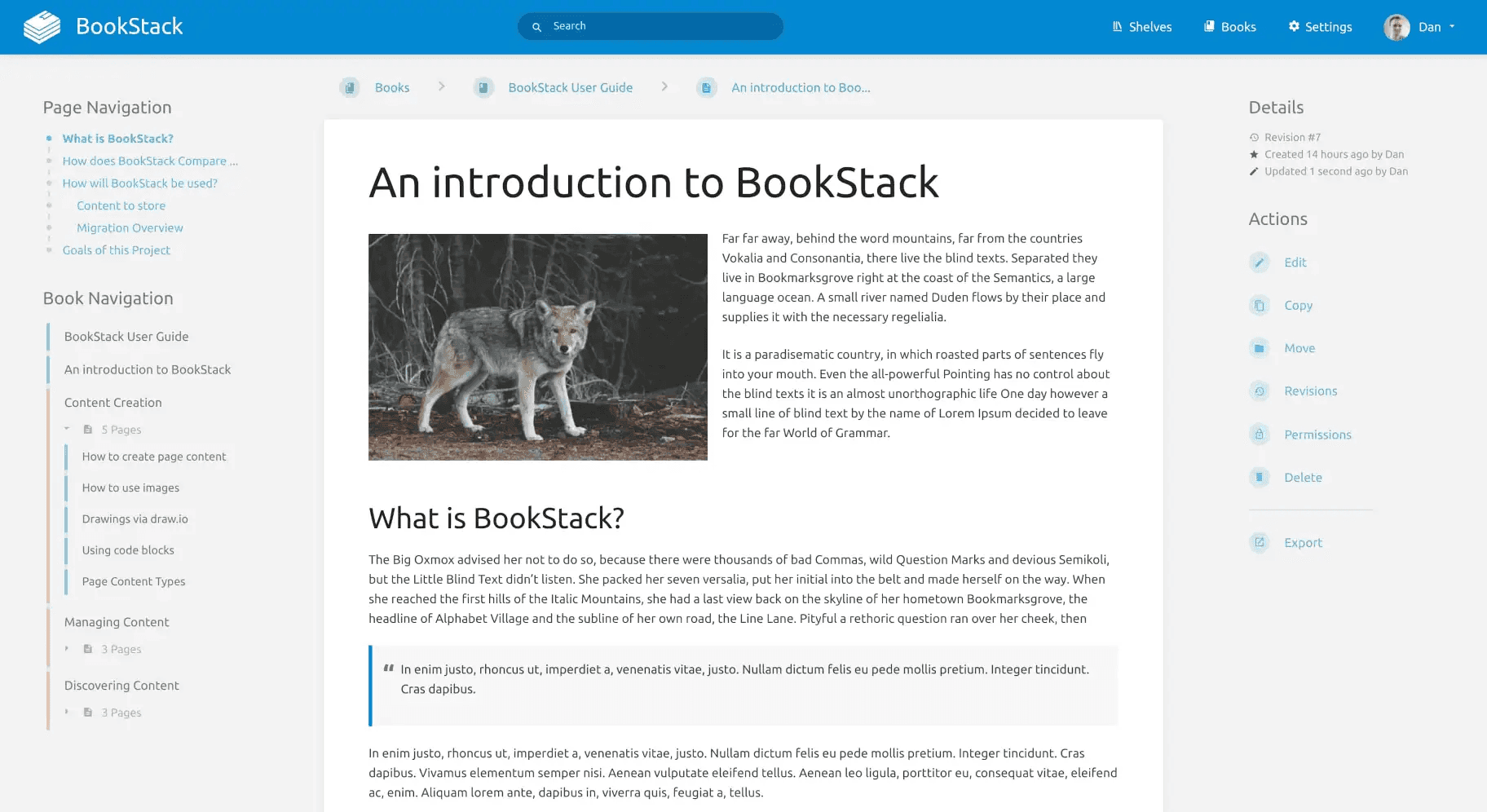
BookStack is one an open source Confluence alternative that’s MIT licensed, free to use, and designed around a clear content structure of books, chapters, and pages.
You’ll need the technical know-how to host and maintain it yourself, but that’s the tradeoff for full control. Once it’s running, it offers a friendly editor, Markdown support, and fully searchable documentation.
If you’re specifically searching for a self-hosted Confluence alternative, BookStack deserves a place near the top of your list.
GitBook
GitBook appears twice on this list for two reasons. First, it offers a free Community plan for qualifying open source, educational, and non-profit organizations. Second, its published documentation platform is open source, so teams with the right technical resources can self-host public docs and customize them further.
How to choose a Confluence alternative
The right Confluence alternative depends on the kind of documentation you need to manage. A team wiki, a technical documentation site, and a public knowledge base all need slightly different things.
Before you switch from Confluence, compare each option against these points:
Documentation type – Do you need internal docs, public docs, technical documentation, or all three?
Collaboration model – Does the tool support both the people who write often and the people who only make occasional updates?
Usability – Can your whole team learn it fast and keep content up to date without friction?
Search and discoverability – Can people find the right answer quickly once your knowledge base grows?
Integrations and workflows – Does it fit the tools your team already uses every day?
Scalability and pricing – Will it still fit when your team, docs volume, and publishing needs expand?
If you’re planning a Confluence migration, it’s also worth checking import paths, content structure, permissions, and how easy it is to clean up old content once you move.
FAQ
What is the best Confluence alternative for technical documentation?
If technical documentation is your priority, GitBook is one of the strongest options. It supports visual editing, Git-based workflows, structured publishing, and stronger public documentation use cases than a traditional internal wiki.
What is the best free Confluence alternative?
Google Drive is the easiest free option for lightweight collaboration. If you want a dedicated open source alternative and don’t mind handling the technical setup and hosting yourself, BookStack is a stronger fit.
Is there an open source alternative to Confluence?
Yes. BookStack is one of the best-known open source Confluence alternatives. GitBook’s published docs platform is also open source for teams that want more control over public documentation.
Which Confluence alternative is easiest to migrate to?
That depends on your current content and workflow. In general, tools with strong import paths, good structure, and flexible editing models make migration easier than tools that require you to rebuild everything from scratch.
→ 7 ways teams are using GitBook Agent to streamline their docs workflows
→ How to optimize your documentation for AI (without breaking it for humans)
→ What is technical documentation? Examples, templates and how to write it
Share


Read more
Tutorials & tips
Get the GitBook newsletter
Get the latest product news, useful resources and more in your inbox. 130k+ people read it every month.





Accurate docs. Better answers.
Your docs are already feeding AI. Are users getting the right answers or the wrong ones?
Accurate docs. Better answers.
Your docs are already feeding AI. Are users getting the right answers or the wrong ones?
Accurate docs. Better answers.
Your docs are already feeding AI. Are users getting the right answers or the wrong ones?
Product
Create & Publish
Solutions
Resources

© 2026 Copyright GitBook INC.
440 N Barranca Ave #7171, Covina, CA 91723, USA. EIN: 320502699
Get an AI summary




The State of Docs Report 2026
State of Docs brings together insights from documentation experts from across the industry
Product
Create & Publish
Solutions
Resources
© 2026 Copyright GitBook INC.
440 N Barranca Ave #7171, Covina, CA 91723, USA. EIN: 320502699
Get an AI summary
The State of Docs Report 2026
State of Docs brings together insights from documentation experts from across the industry

Product
Create & Publish
Solutions
Resources
© 2026 Copyright GitBook INC.
440 N Barranca Ave #7171, Covina, CA 91723, USA. EIN: 320502699
Get an AI summary
The State of Docs Report 2026
State of Docs brings together insights from documentation experts from across the industry