
AI made docs easy to write. Not easy to trust.

AI made docs easy to write. Not easy to trust.

AI made docs easy to write. Not easy to trust.

Making docs AI-ready is table stakes. Getting them accurate is harder. GitBook is the docs infrastructure that does both.

Making docs AI-ready is table stakes. Getting them accurate is harder. GitBook is the docs infrastructure that does both.

Set up your docs with AI

Set up your docs with AI

# GitBook Setup Agent

## Goal

Get my docs live on a published GitBook site. Done = you hand me the live URL and confirm it loads. Tell me clearly when a step needs me — do everything else yourself.

**If this prompt was pasted before** and the gitbook MCP tools are already connected, don't start over — skip Connect and continue from where we left off, re-confirming the plan with me briefly.

## Account first I'm probably new to GitBook. Before connecting, send me to https://app.gitbook.com/join to create a free account. Warn me: if GitBook shows a setup wizard after signup, skip it — you're handling setup here. Don't wait idle — start Prepare below while I sign up.

## Prepare (start immediately)
Ask for my docs — a local folder or a repo. If I don't have docs yet, propose a starter structure for what I want to document. Verify the source before building: echo back exactly what you're reading and list its top-level contents so I can confirm it's right. If you can't access something I named (private repos return 404, same as nonexistent), stop and ask — never substitute a different source. Show me the site plan before creating anything in GitBook.

## Connect If the gitbook MCP tools are already available in this session, skip straight to the next section. Otherwise:

Connect to GitBook's MCP server: `https://mcp.gitbook.com/mcp` (streamable HTTP, OAuth).

- **Claude Code**: `claude plugin marketplace add GitbookIO/gitbook-skills` then `claude plugin install gitbook@gitbook-skills` — I run `/reload-plugins` and `/mcp` to sign in.
- **Codex**: `codex mcp add gitbook --url https://mcp.gitbook.com/mcp`
- **Cursor**: add the URL under `mcpServers` in `.cursor/mcp.json`, then I enable it in Settings → MCP.
- **Chat app with no terminal**: tell me to add the URL as a custom connector in my app's settings.
- **Anything else**: fetch https://gitbook.com/docs/getting-started/ai-documentation/gitbook-mcp.md for setup instructions, or fall back to the REST API with a PAT from https://app.gitbook.com/account/developer.

Most tools don't load new MCP servers mid-session. If the gitbook tools don't appear after setup, tell me to restart the app and paste this prompt again — you'll detect the connection and continue. If you can run commands, also install GitBook's skills: `npx -y skills add GitbookIO/gitbook-skills -y`

## Build and publish Create the site with the GitBook MCP tools, import my content, and publish. Skip Git Sync for this first publish — offer it once the site is live. Fetch the live URL to confirm it loads, then give it to me.

# GitBook Setup Agent

## Goal

Get my docs live on a published GitBook site. Done = you hand me the live URL and confirm it loads. Tell me clearly when a step needs me — do everything else yourself.

**If this prompt was pasted before** and the gitbook MCP tools are already connected, don't start over — skip Connect and continue from where we left off, re-confirming the plan with me briefly.

## Account first I'm probably new to GitBook. Before connecting, send me to https://app.gitbook.com/join to create a free account. Warn me: if GitBook shows a setup wizard after signup, skip it — you're handling setup here. Don't wait idle — start Prepare below while I sign up.

## Prepare (start immediately)
Ask for my docs — a local folder or a repo. If I don't have docs yet, propose a starter structure for what I want to document. Verify the source before building: echo back exactly what you're reading and list its top-level contents so I can confirm it's right. If you can't access something I named (private repos return 404, same as nonexistent), stop and ask — never substitute a different source. Show me the site plan before creating anything in GitBook.

## Connect If the gitbook MCP tools are already available in this session, skip straight to the next section. Otherwise:

Connect to GitBook's MCP server: `https://mcp.gitbook.com/mcp` (streamable HTTP, OAuth).

- **Claude Code**: `claude plugin marketplace add GitbookIO/gitbook-skills` then `claude plugin install gitbook@gitbook-skills` — I run `/reload-plugins` and `/mcp` to sign in.
- **Codex**: `codex mcp add gitbook --url https://mcp.gitbook.com/mcp`
- **Cursor**: add the URL under `mcpServers` in `.cursor/mcp.json`, then I enable it in Settings → MCP.
- **Chat app with no terminal**: tell me to add the URL as a custom connector in my app's settings.
- **Anything else**: fetch https://gitbook.com/docs/getting-started/ai-documentation/gitbook-mcp.md for setup instructions, or fall back to the REST API with a PAT from https://app.gitbook.com/account/developer.

Most tools don't load new MCP servers mid-session. If the gitbook tools don't appear after setup, tell me to restart the app and paste this prompt again — you'll detect the connection and continue. If you can run commands, also install GitBook's skills: `npx -y skills add GitbookIO/gitbook-skills -y`

## Build and publish Create the site with the GitBook MCP tools, import my content, and publish. Skip Git Sync for this first publish — offer it once the site is live. Fetch the live URL to confirm it loads, then give it to me.

Use your favorite AI tool to set up your docs in just a few minutes

Use your favorite AI tool to set up your docs in just a few minutes

Search…

Ctrl

k

Ask

Sign in

Product

API

Help center

Changelog

Getting started

Welcome

Quickstart

Concepts

System performance

Optimizing for workloads

Kernel tuning

Security

Overview

Security best practices

System hardening

Updates and patching

Audit and logging

Vulnerability management

customization

Theme customization

Custom domain

Getting started

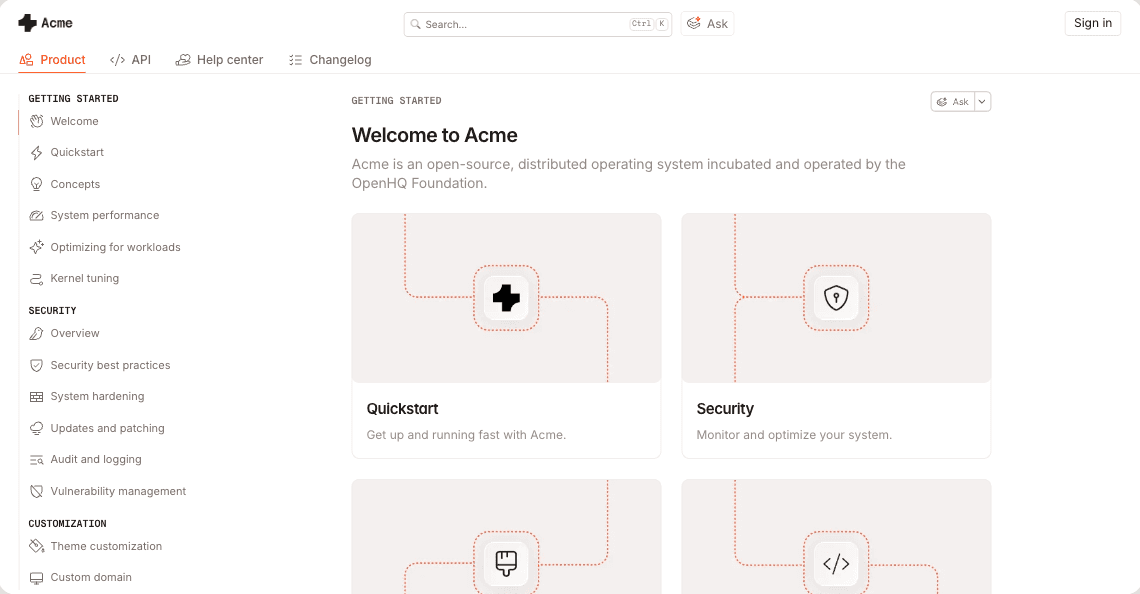
Welcome to Acme

Acme is an open-source, distributed operating system incubated and operated by the OpenHQ Foundation.

Quickstart

Get up and running fast with Acme.

Security

Monitor and optimize your system.

Quickstart

Get up and running fast with Acme

Security

Monitor and optimize your system.

Ask your docs

AI insights

Embed and connect

Proactive updates

Search…

Ctrl

k

Ask

Sign in

Product

API

Help center

Changelog

Getting started

Welcome

Quickstart

Concepts

System performance

Optimizing for workloads

Kernel tuning

Security

Overview

Security best practices

System hardening

Updates and patching

Audit and logging

Vulnerability management

customization

Theme customization

Custom domain

Getting started

Welcome to Acme

Acme is an open-source, distributed operating system incubated and operated by the OpenHQ Foundation.

Quickstart

Get up and running fast with Acme.

Security

Monitor and optimize your system.

Quickstart

Get up and running fast with Acme

Security

Monitor and optimize your system.

Ask your docs

AI insights

Embed and connect

Proactive updates

An orange churro shape thats loops into a knot, used as the background for the page

Agent traffic tracker

5

6

.

0

0

2

%

Agents turn small docs errors into big problems

When your product changes, your docs don’t automatically update with it. GitBook spots what’s drifted and queues it for review before the wrong answer appears everywhere.

Checking the content for errors

Checking the content for errors

Checking the content for errors

Readable to an agent isn’t the same as useful to a user

Most docs tools focus on making your docs readable by agents. That’s the easy part. GitBook makes sure what they find is reliable. So when a human or agent follows the instructions, they get the right answer.

A system built to keep docs accurate, not just create them.

Collaborate on docs like code

Sync your repo, then branch, review, and merge documentation like a PR.

Git Sync

Proactively detect stale content

Scans your docs for content that no longer matches your product and flags it for review.

GitBook Agent

Turn docs into answers

Users can ask your docs directly through the AI Assitant and get personalized support.

AI Assistant

Know what to fix before users tell you

Tracks where users (both human and agent) get stuck and shows you which content to fix first.

AI Insights

Insights

A headshot of Trevot Lynn

“We view GitBook as a growth tool. If our docs are easy to use, our users will be successful and adopt our products. By making it simple for developers to get their first ‘aha!’ moment, GitBook helps us grow the Roboflow community much faster.”

Trevor Lynn

,

Head of Marketing

Roboflow

A headshot of Trevot Lynn

“We view GitBook as a growth tool. If our docs are easy to use, our users will be successful and adopt our products. By making it simple for developers to get their first ‘aha!’ moment, GitBook helps us grow the Roboflow community much faster.”

Trevor Lynn

,

Head of Marketing

Roboflow

Enterprise-grade docs that stay accurate at scale

SOC 2, ISO 27001, SAML SSO, access controls, white-glove migration. Built for teams that need security, control and collaboration.

SOC 2, ISO 27001, SAML SSO, access controls, white-glove migration. Built for teams that need security, control and collaboration.

Migration and support

White-glove migration, 1:1 support & training, and custom integrations ensure you get up, running and ready to scale fast.

Access control

Tiered role and permissions settings let you precisely choose who can view and edit your content.
Enterprise illustration
Security and compliance

We are SOC 2, ISO 27001 and GDPR compliant, with SAML-based SSO to meet your security and data requirements.

Auth-protected content

With authenticated access, only your chosen customers, team members or authorized users can view your docs.

A headshot of John Lueders
FreedomPay logo

“The GitBook MCP is our programmatic handshake to the world — and it’s going to greatly compress time to market for our partners and integrators.”

John Lueders

,

VP of Developer Experience

FreedomPay

A headshot of John Lueders
FreedomPay logo

“The GitBook MCP is our programmatic handshake to the world — and it’s going to greatly compress time to market for our partners and integrators.”

John Lueders

,

VP of Developer Experience

FreedomPay

customers

Companies like yours are building better docs with GitBook

Companies like yours are building
better docs with GitBook

Companies like yours are building better docs with GitBook

FreedomPay logo
FreedomPay thumbnail
bunq logo
A rainbow background
Sonar logo
xplor pay logo
FreedomPay logo
FreedomPay thumbnail
bunq logo
A rainbow background
Sonar logo
FreedomPay logo
FreedomPay thumbnail
bunq logo
A rainbow background
Sonar logo

Accurate docs. Better answers.

Your docs are already feeding AI. Are users getting the right answers or the wrong ones?

Accurate docs. Better answers.

Your docs are already feeding AI. Are users getting the right answers or the wrong ones?

Accurate docs. Better answers.

Your docs are already feeding AI. Are users getting the right answers or the wrong ones?

Accurate docs. Better answers.

Your docs are already feeding AI. Are users getting the right answers or the wrong ones?