Product updates
Published:
7 Sep, 2026
How we rebuilt GitBook’s docs



AI summary
We rebuilt our own documentation from the ground up — consolidating years of organically grown content into one GitHub repo, restructuring it around user journeys instead of product features, and using GitBook’s own AI features (Claude via MCP, GitBook Agent, Assistant) to do the migration. The post covers the steps we took, what broke, and what changed afterward.
GitBook is a documentation platform that thousands of teams use to publish their docs every day. And yet our own docs had grown the way most docs grow: organically, one page at a time, over years of shipping features. Each launch added new pages, and each page found a home wherever it fit at the time. Our docs were never really “wrong”, but the content design started to look less and less intentional.
Earlier this year, after Sarah joined as our first documentation lead, we realized incremental fixes wouldn’t be enough. We wanted to rebuild our docs from the ground up. This is the story of why we did it — and how we used our own AI features to pull it off.
Outgrowing our own structure
The problems we faced were familiar, because they’re the same ones we hear all the time from our users.
Our content lived in multiple spaces, edited in different ways by different teams. Some pages were maintained in the GitBook editor, others through Git Sync, and keeping the two mental models was hard. Structure mirrored our org chart and our release history, more than it mirrored how anyone gets their docs published.
New users landing in our docs were greeted with our product features, not the solution they were looking for. If you wanted to publish your first site, the information you needed was spread across multiple pages.
And there was a newer pressure, too. More and more of our docs traffic doesn’t come from humans clicking through a sidebar — it comes from AI tools reading our content to answer questions on someone’s behalf. And if our docs were confusing for people, that was even worse for models. Whatever we put in place needed to fix those problems for both.
Step one: consolidating everything into one GitHub repo
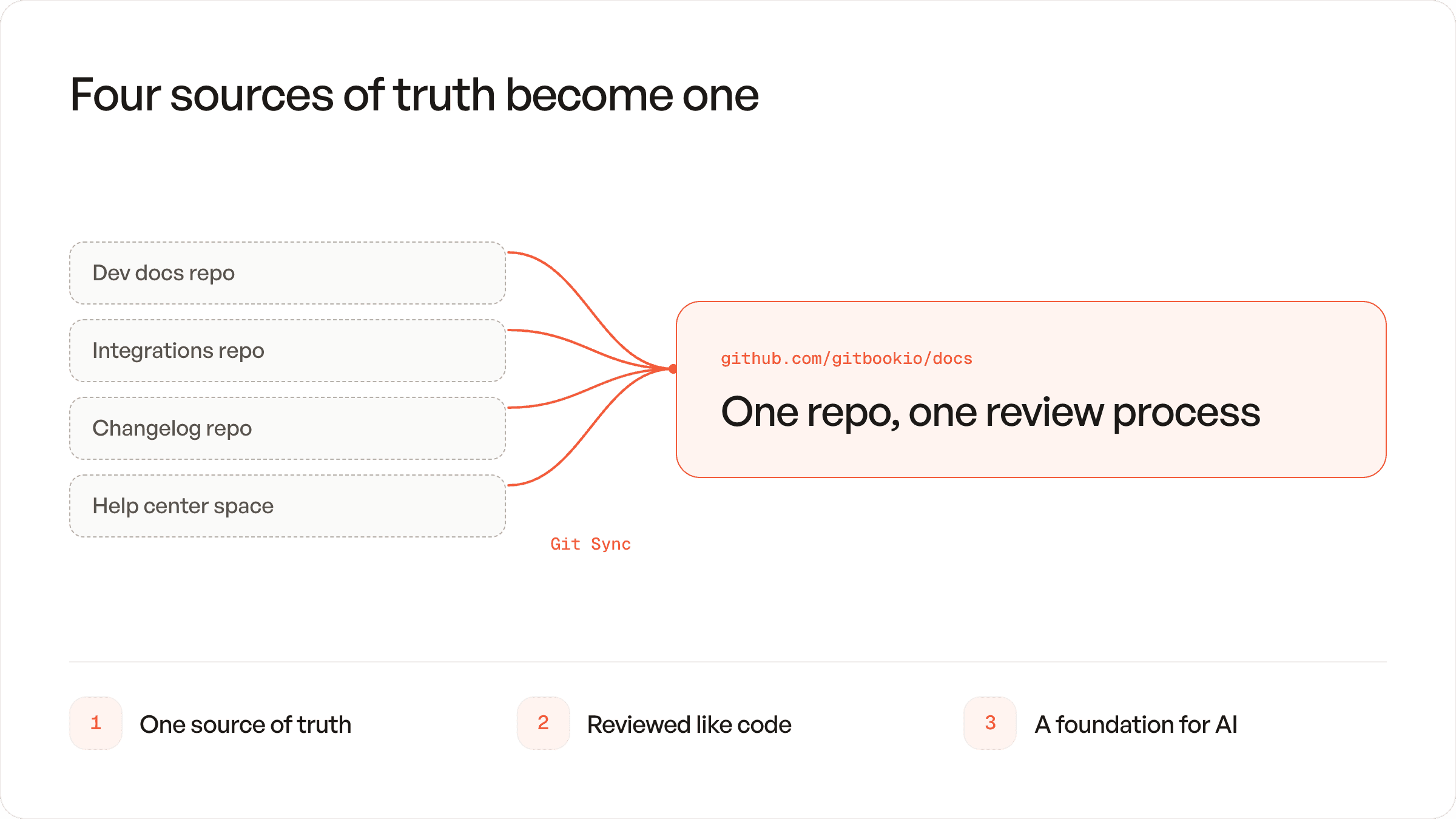
The first decision was the least glamorous but the most important: everything moves into a single GitHub repository.
With the launch of some major improvements to Git Sync, doing this was finally a straightforward process.
Using Git Sync with multiple spaces? Read our guide on migrating your old Git Sync setup to the new and improved configuration.
Before, our content was split across spaces with different workflows and different owners. Our developer docs were in a repo focused on integrations, our changelog and help center lived in their own siloed repos, and nothing was connected.
Consolidating into one repo, synced to GitBook with Git Sync, meant we instantly saw a few benefits:
One source of truth – Every page, every image, every redirect now lives in one place. There's no more “which space is this in?” conversation.
Docs reviewed like code – Changes could be made to our entire site in pull requests.
A foundation for AI – This mattered more than we expected. A single repo means an AI agent can see the whole docs site at once — its structure, its conventions, its gaps. That turned out to be the key for everything that came later.
Step two: rethinking the user journey
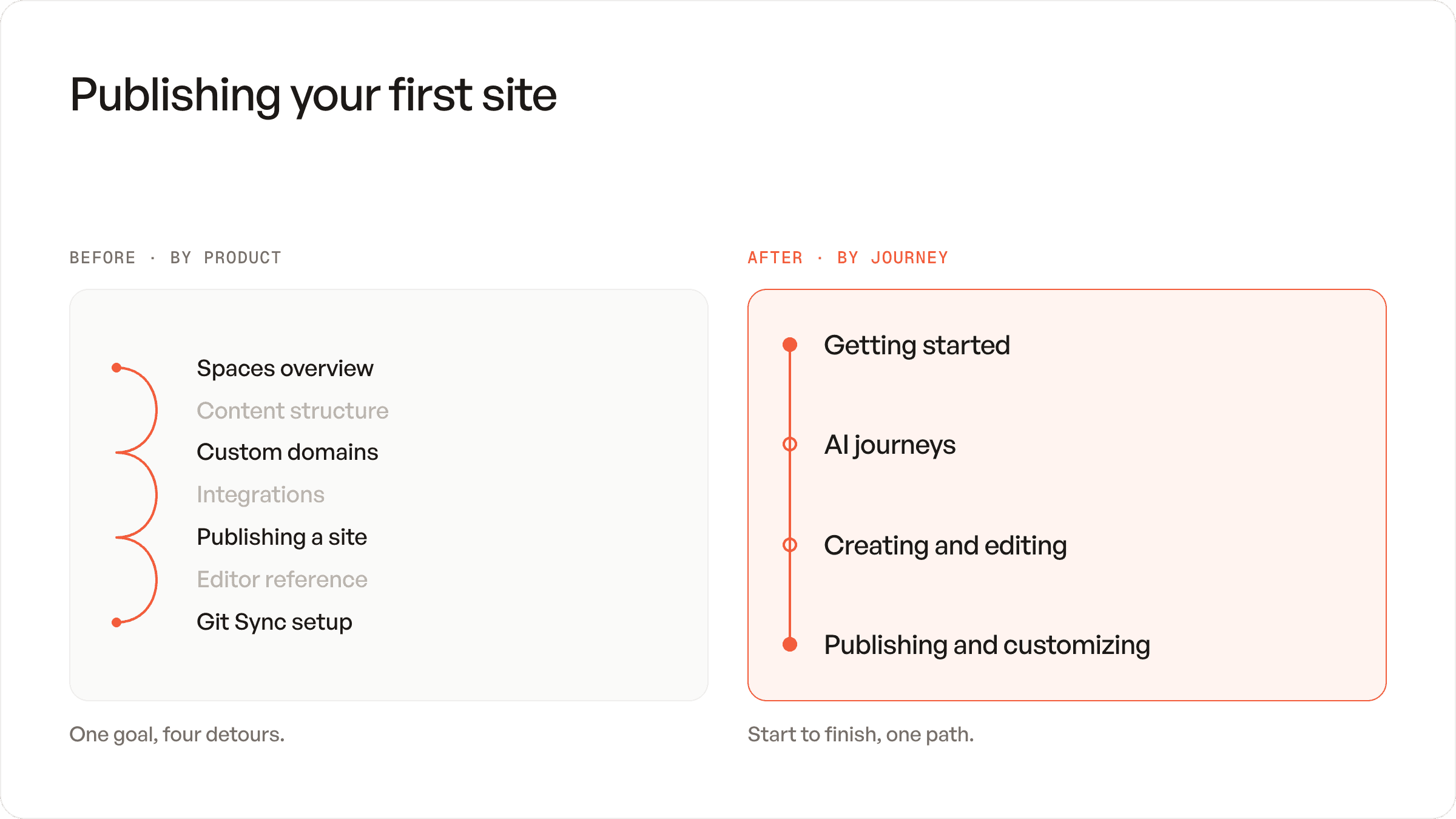
With the content in one place, we were in a good spot to take a step back and asses our docs as a whole. So we asked a simple question: “What is someone actually trying to do when they land here?”
The old structure answered “what does GitBook offer?” The new one answers “what are you here for?” We reorganized everything around a handful of real journeys:
Getting started – From zero to a published site, in one continuous path, without detours into edge cases.
Exposing AI journeys – Showcasing our AI tools like the GitBook MCP and Agent Skills as a key part of the getting started workflow.
Creating and editing content – Everything about writing, whether you live in the editor or in your IDE.
Publishing and customizing – Making your docs yours, and getting them in front of readers.
The test we kept applying: can a person with a specific goal follow one section from start to finish without jumping around? Every page that failed that test got moved, merged, or cut.
Step three: putting our own AI features to work
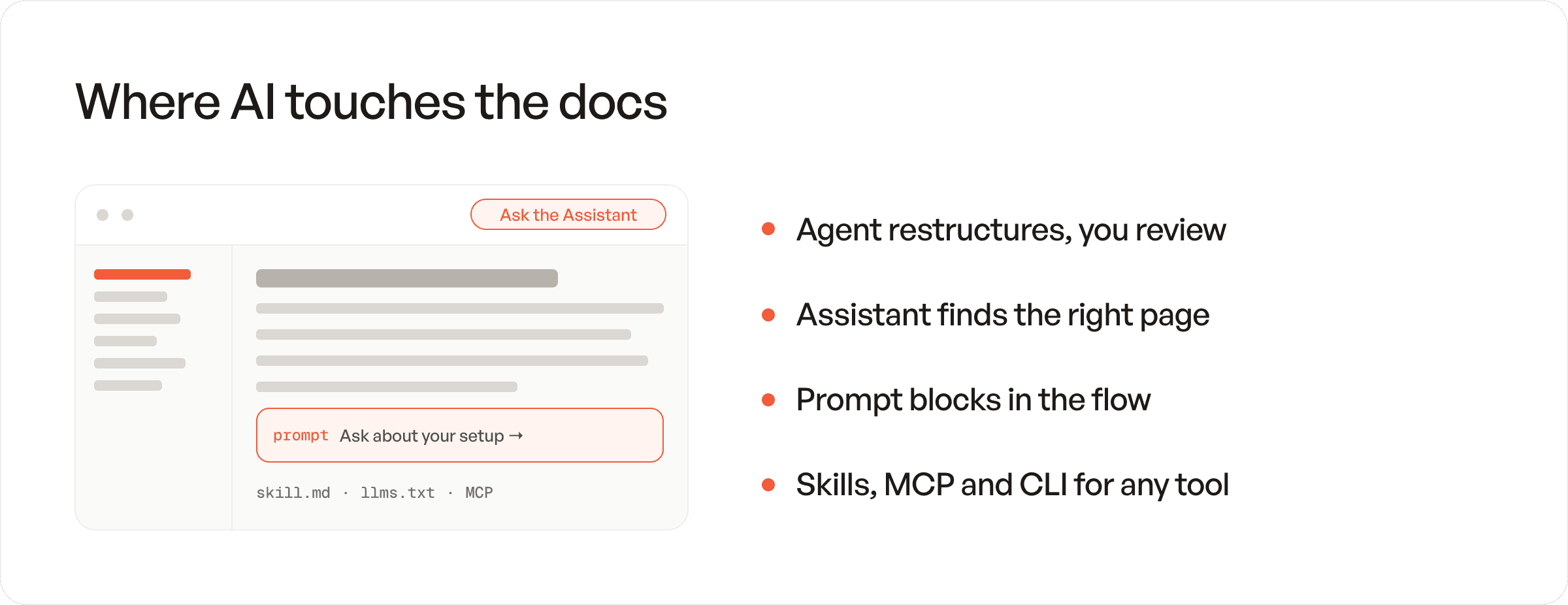
Here’s where we started dogfooding our product more than ever. We didn’t just rebuild the docs with AI — we rebuilt them for AI, using the features we ship to customers.
GitBook Agent. The Agent became a genuine collaborator during the migration. We used it to restructure sections, propose drafts through change requests, and hunt down inconsistencies across hundreds of pages — the kind of sweeping, tedious work that used to eat entire sprints. Because every suggestion arrives as a reviewable change request, we kept humans in the loop from the start.
GitBook Assistant. With the new structure in place, the Assistant — the AI that answers readers’ questions directly on the docs site — got noticeably better. Clear journeys and consolidated content mean the Assistant retrieves the right page instead of three half-right ones. Good information architecture is good retrieval.
Prompt blocks. We started embedding prompt blocks in pages where the natural next step is a conversation, not more reading. Finished the getting-started guide? There's a prompt right there to ask the Assistant about your specific setup.
Skills. We shipped more skill.md files and invested in AI tools like MCP and rebuilt our CLI, so any AI tool a user brings — Claude, Cursor, whatever comes next — knows how to work with GitBook properly.
How we actually did it
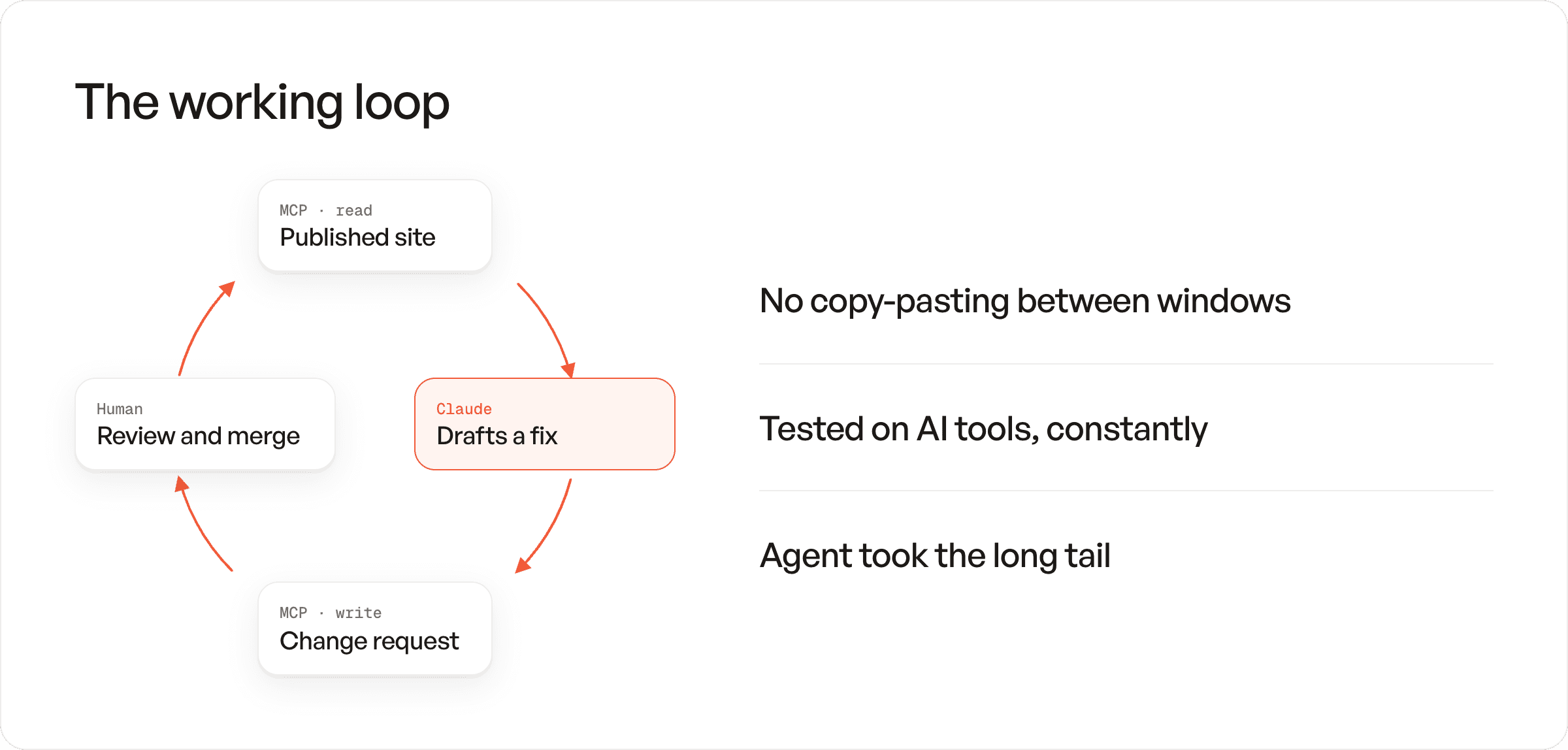
Here’s the breakdown of what our rebuilding process actually looked like:
Claude did the heavy lifting. We connected Claude to our docs through our own MCP servers — the read-only server for our published site, and the GitBook MCP server for writing content changes back. That loop meant Claude could absorb our voice and structure, draft in it, and open change requests without any copy-pasting between windows. We’d hand it a messy legacy section and ask for a restructure proposal. In a few minutes, it came back with something we could review, make changes to, and merge. (We wrote more about this workflow here.)
We tested the docs on AI tools, constantly. This became our favorite quality check. Before shipping a section, we’d ask GitBook Assistant real user questions and see whether they could answer correctly from our docs alone.
GitBook Agent handled the long tail. Once the big structural moves were done, we still had hundreds of small tasks to handle: fixing cross-links, normalizing terminology, updating screenshots’ captions, aligning heading conventions. We pointed the Agent at them in batches. Reviewing its change requests took a fraction of the time doing the work (and searching) by hand would have.
What we got out of it

The new docs shipped, and the returns showed up quickly. Support gets fewer “where do I find…” questions. The Assistant’s answers are sharper. New pages have an obvious home, so drafting them is faster. And because everything runs through one repo and one review process, the docs are easier to keep good — which was always the real goal.
We also tracked our improvements through GitBook’s built in AI insights. This allowed us to track in real time what questions our readers were asking — and after restructuring our docs, we saw a major shift in the amount of questions being asked on how to get started with the product.
But the biggest shift was in how we think about the job. Documentation isn’t a library you organize once. It’s a product with two audiences now, and it needs to serve both.
What to try next
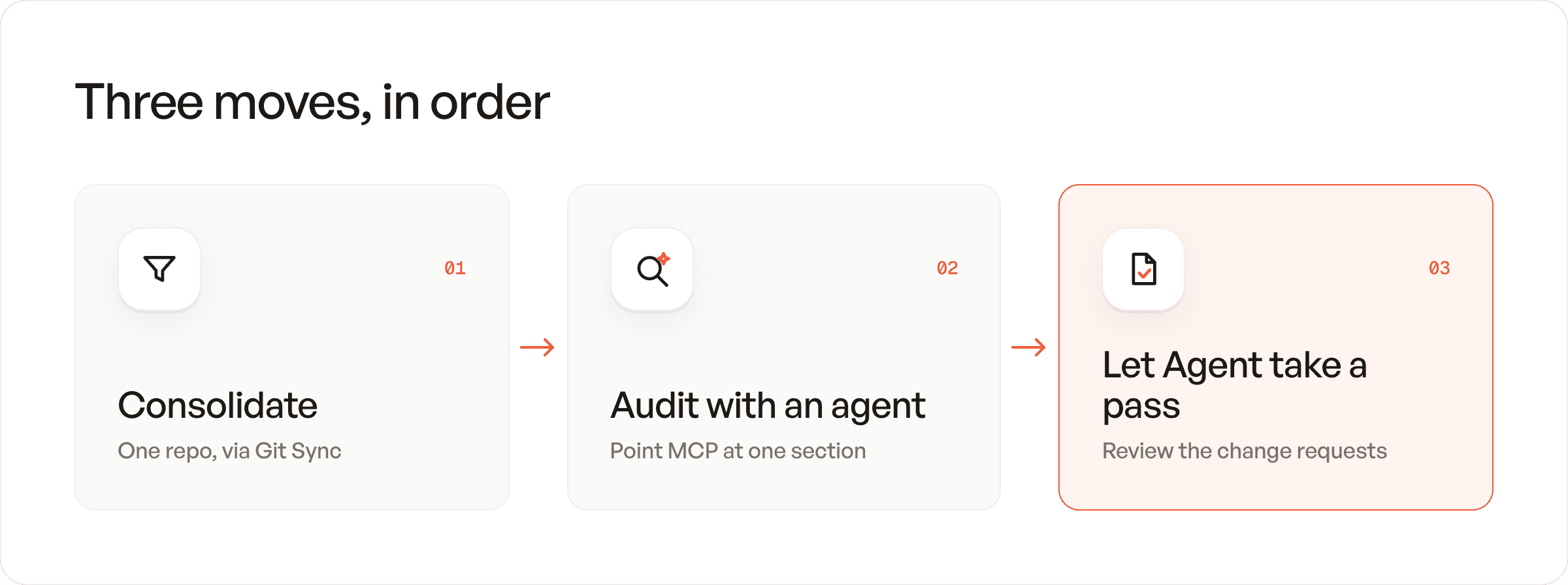
If your own docs are overdue for this treatment, you don't have to do it all at once. Start where we did:
Consolidate into one source of truth with site-wide Git Sync
Connect an AI tool to your docs with GitBook’s MCP servers and ask it to audit one section
Let GitBook Agent take a pass at your most outdated pages
Share



Read more
Product updates
Get the GitBook newsletter
Get the latest product news, useful resources and more in your inbox. 130k+ people read it every month.

7 Oct, 2026
Your AI problem is probably a documentation problem

Sara Tandowsky
CEO
6 Oct, 2026
Introducing GitBook’s quality monitoring layer for reliable docs

Suzy Everist
Product Marketing Lead

4 Jun, 2026
New this month: GitBook Agent in your editor, AI insights go deeper, and integrations in reusable content
Suzy Everist
Product Marketing Lead
Accurate docs. Better answers.
Your docs are already feeding AI. Are users getting the right answers or the wrong ones?
Accurate docs. Better answers.
Your docs are already feeding AI. Are users getting the right answers or the wrong ones?
Accurate docs. Better answers.
Your docs are already feeding AI. Are users getting the right answers or the wrong ones?
Product
Create & Publish
Solutions
Resources

© 2026 Copyright GitBook INC.
440 N Barranca Ave #7171, Covina, CA 91723, USA. EIN: 320502699
Get an AI summary




The State of Docs Report 2026
State of Docs brings together insights from documentation experts from across the industry
Product
Create & Publish
Solutions
Resources
© 2026 Copyright GitBook INC.
440 N Barranca Ave #7171, Covina, CA 91723, USA. EIN: 320502699
Get an AI summary
The State of Docs Report 2026
State of Docs brings together insights from documentation experts from across the industry

Product
Create & Publish
Solutions
Resources
© 2026 Copyright GitBook INC.
440 N Barranca Ave #7171, Covina, CA 91723, USA. EIN: 320502699
Get an AI summary
The State of Docs Report 2026
State of Docs brings together insights from documentation experts from across the industry