Your docs are becoming a go-to source for AI tools and agents, so we built a way for you to see exactly how they're being used. This month, we also shipped significant improvements to redirect management and features that improve how you manage content in the editor.
Here’s what’s new
Revamped Analytics and a new MCP tab gives insight into which AI tools are crawling your docs
Wildcard redirects and bulk upsert make large-scale URL migrations manageable
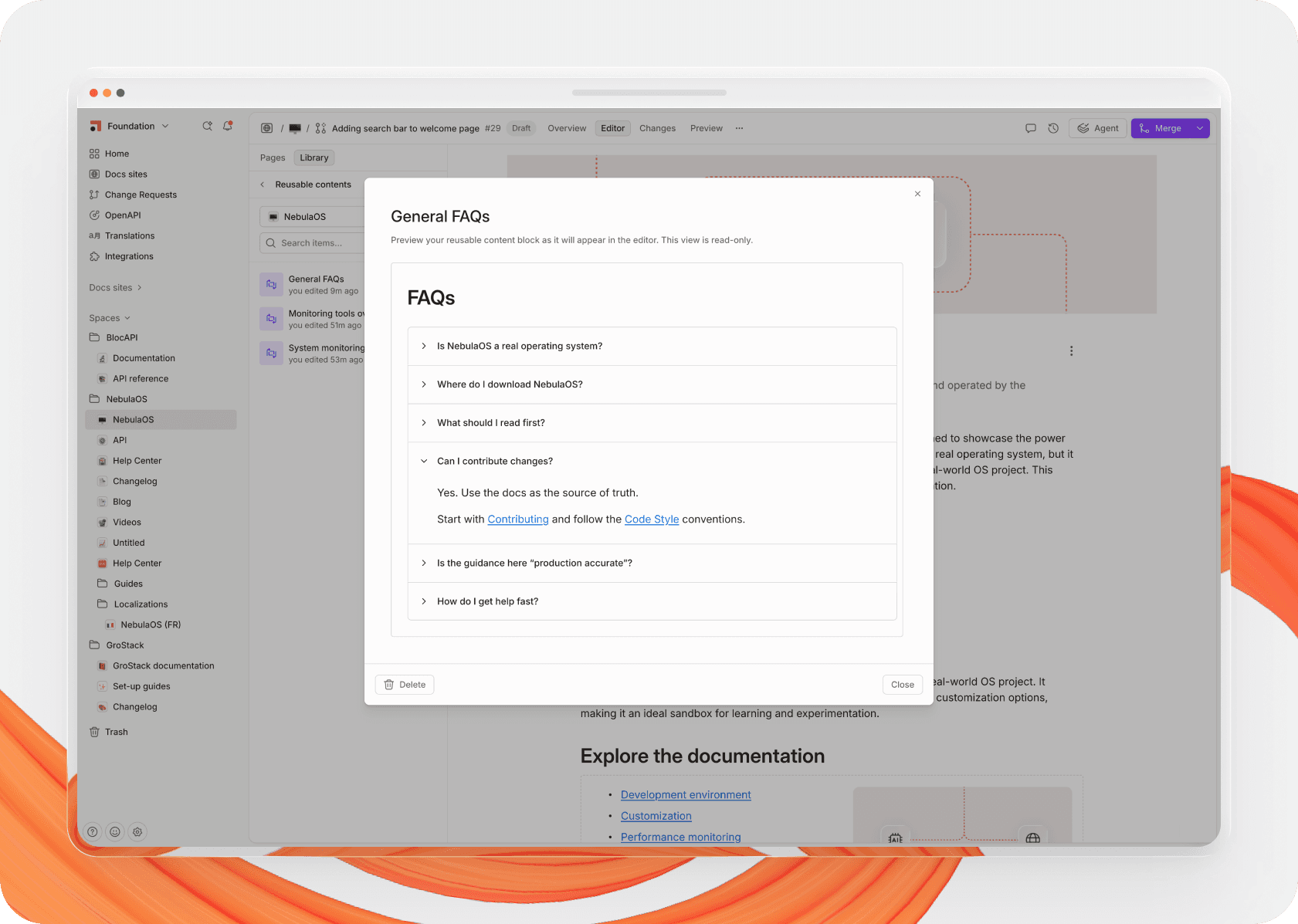
Reusable content previews allows you to review reusable content blocks before integrating them across your sites
And more!
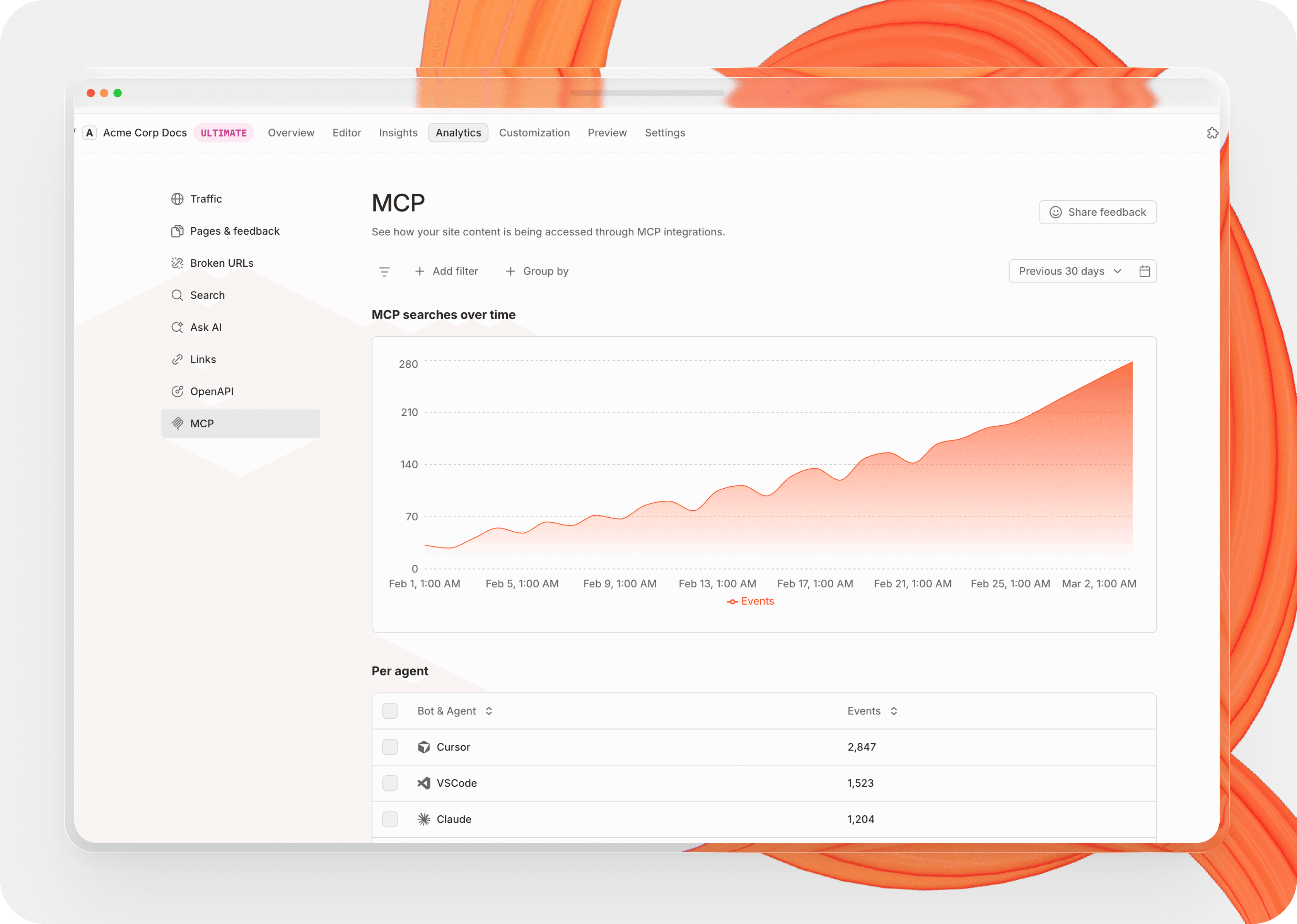
We've renamed the Insights tab to Analytics as part of a broader effort to give you deeper visibility into your site’s data and traffic. With this, we’ve introduced a MCP view - a new way to see which AI tools (agents, IDEs, LLMs) are crawling your site and what they're trying to find. Quickly identify content gaps and know exactly what to build next.
To find this view, log into the GitBook app and go to Docs Sites > Sites > Analytics.
The MCP view is just the start - more analytics features are rolling out to the Analytics page in the coming weeks.
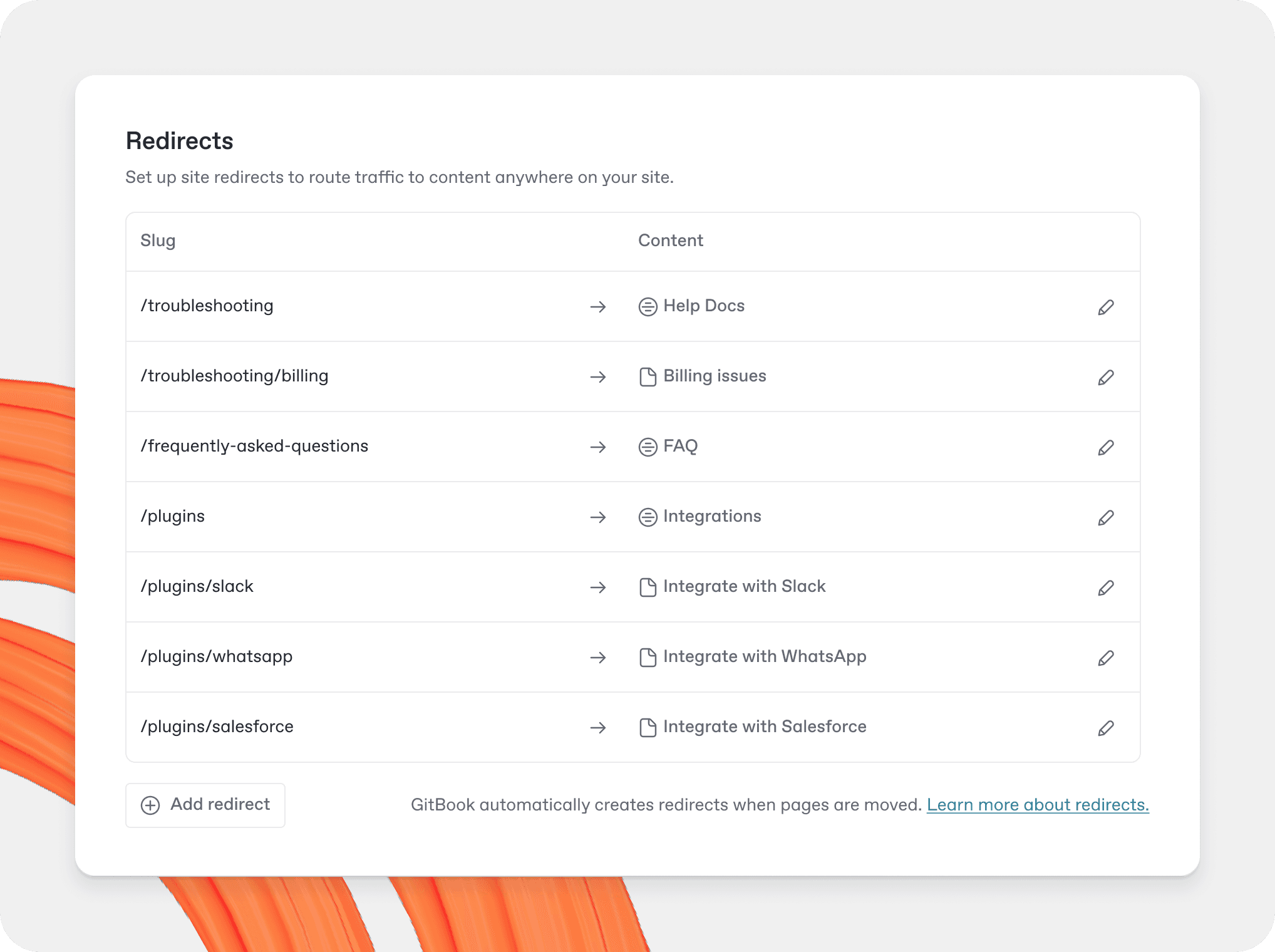
Site redirects got a major upgrade this month. The redirect limit has increased to 15,000 per site and new wildcard support means you can cover entire path sections with a single rule instead of mapping URLs one by one. External URLs are now valid destinations too, making domain migrations and legacy routing much cleaner. And if you're managing redirects at scale, a new bulk upsert API lets you handle it all programmatically
With the new preview window in the GitBook editor, you can browse, inspect, and live-preview reusable content blocks before inserting them, so you always know exactly what will appear in your docs. To see the preview, simply click on the reusable content in the Library tab of your Change Request.
Several smaller additions shipped this month that you’ll find useful:
Insert Ask AI or search bar within a page - insert a search or Ask AI input block directly from the editor
Social icons in header - increase visibility of your social accounts by adding icons to the header of your site
Custom Icons in hint blocks - visually differentiate callouts, warnings, and tips with custom icons
Stepper improvements - split and merge stepper blocks in the editor; diffs in change requests now display correctly
Mermaid preview - diagrams render inline as you type, no need to publish to check syntax
For even more info on our product updates, head on over to changelog for all of the latest updates and fixes.
→ Read the changelog
→ Get started with GitBook for free
→ Last month’s update — better AI prompts, a new table of contents, and social account integration