The GitBook team came back energized after the holidays, with a new focus on on building the future of docs. And this month, we channeled that energy into launching a bunch of improvements.
Here’s what’s new:
GitBook Agent now has preset prompts to improve any page in seconds
We improved the table of contents (TOC) to make assets easier to manage
You can now link to your social media accounts directly from your docs sites
And more!
Let’s dive in.
We’ve launched the Improve feature in GitBook Agent to make optimizing your docs effortless.
Click the Improve icon on the top of any page and instantly access GitBook Agent actions that strengthen your documentation:
Fix spelling and grammar
Rewrite for consistency
Optimize for SEO
Link related pages
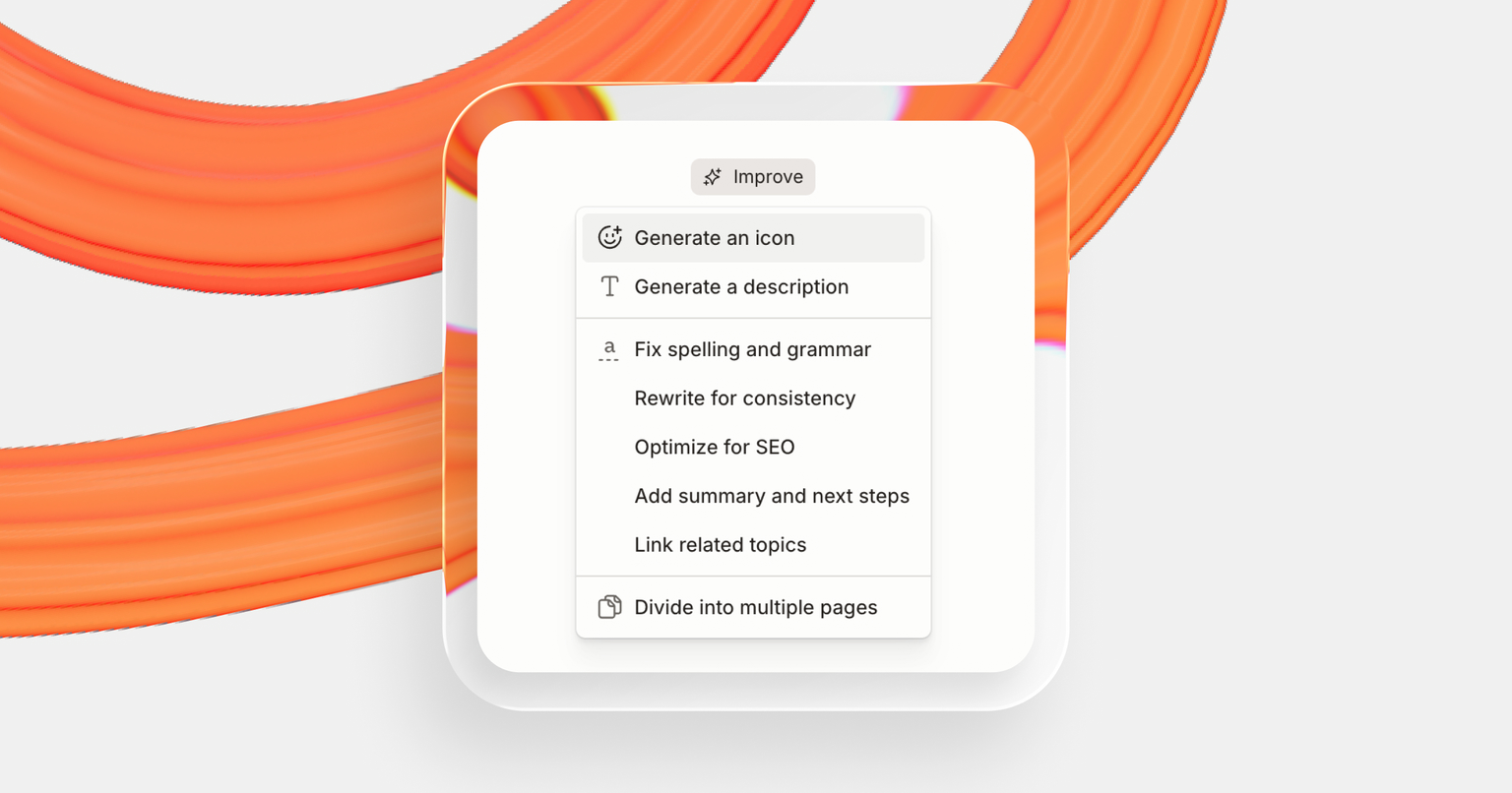
It’s a simple way to cut down on manual work while also making your docs AI-ready with a few clicks.
Once your docs grow, keeping the building blocks organized becomes harder. If people can’t find an asset, they’ll recreate it. That leads to extra time and duplicated work. The updated table of contents in the GitBook app makes it easier to find and manage the content of your docs.
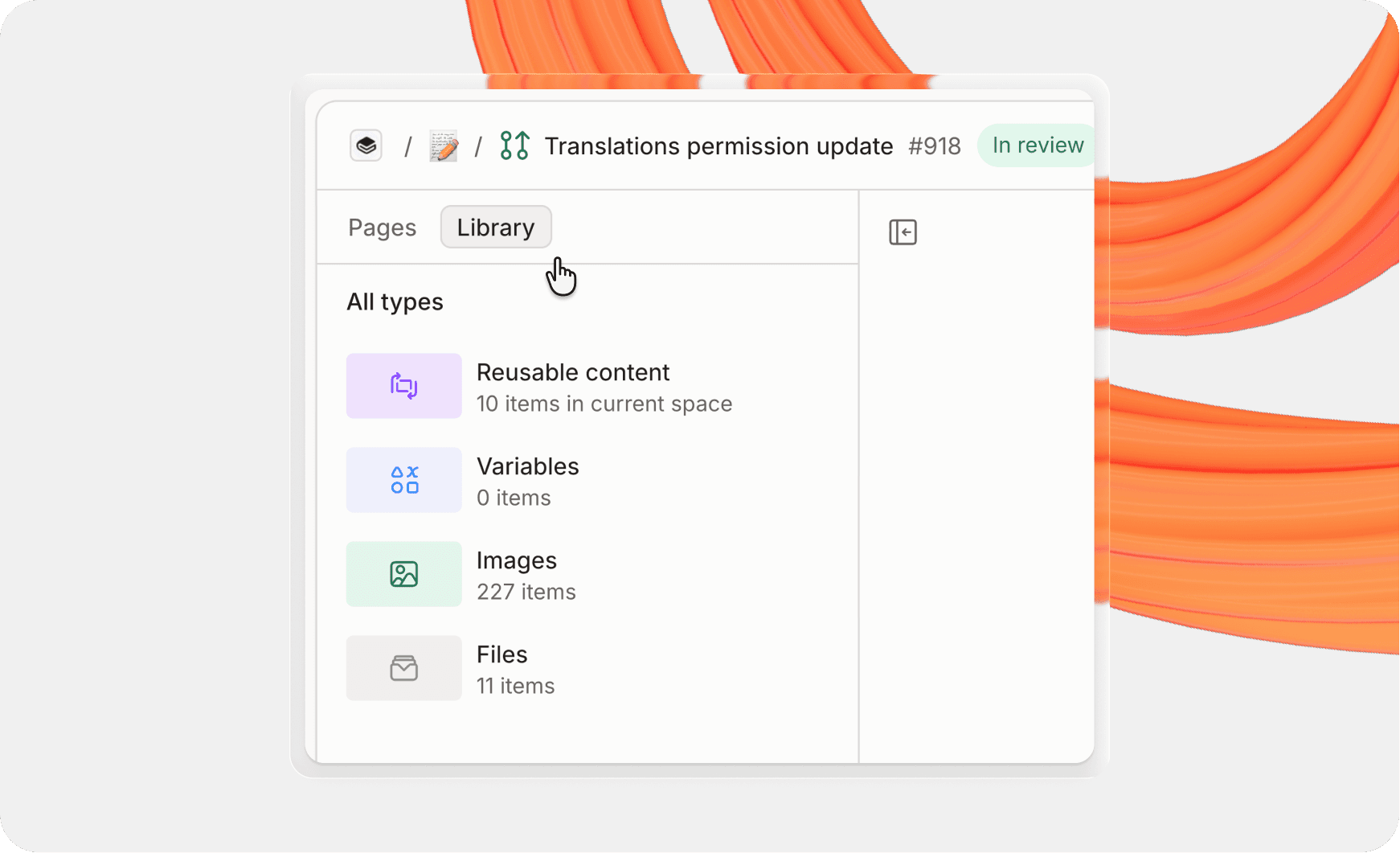
ln the table of contents you’ll now see a Pages section and a Library section. The Pages section is where you see your documentation content.
And the Library is where you go to browse and search for the key building blocks of your docs:
Images
Files
Variables
Reusable content
This makes content maintenance faster and more consistent across your entire team.
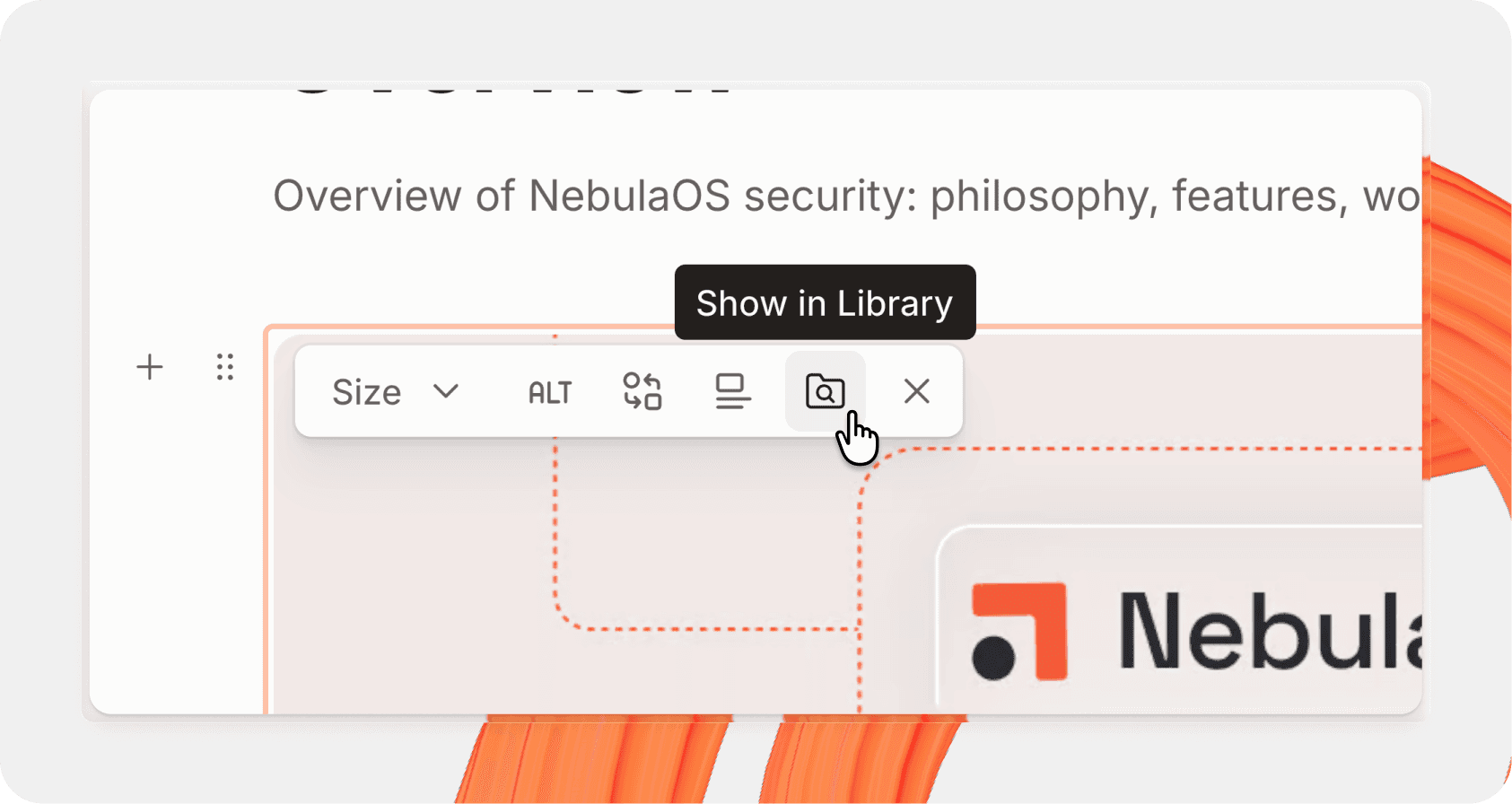
Once you insert content in your docs, it’s easier than ever to jump directly to that asset in the Library. Click the Show in Library icon to find, rename and spot duplicates of specific items fast.
Your table of contents isn’t just navigation. It’s the backbone of your documentation system. When it’s organized, your team can ship updates even faster.
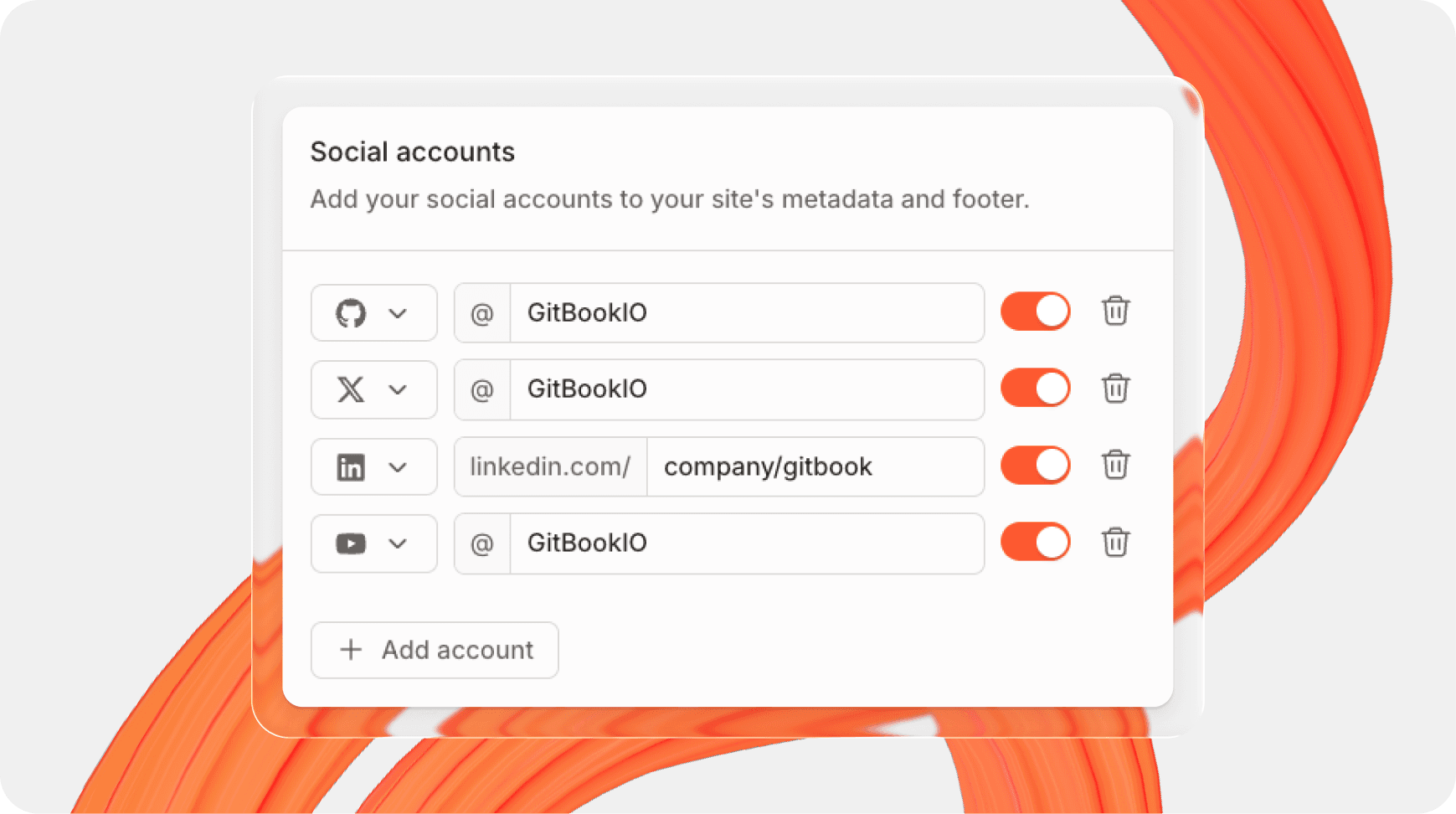
Turn your high-traffic docs into a relationship-building tool. Add links to your social media accounts so visitors can stay connected with your team outside of your documentation.
Links appear in your site’s metadata and footer by default. You can hide them from the footer while keeping them in metadata, or display them everywhere.
Find the new option in Customization > Sharing
Code themes - Make your docs stand out with 60+ new code themes. Use different themes for API blocks and individually style light and dark mode.
Improved in-app search - More structure in search results makes it easier than ever to find content.
Better navigation on mobile - Easier to see the TOC and AI Assistant on mobile.
A bunch of improvements to the editor - Easier to resize tables, improved comment design, better copy/paste behavior for headings, and much more.
These are the standout releases for January. But we shipped more than we can fit into one roundup. Head to the changelog to read about all our changes, and if you want to try these improvements for yourself, get started with GitBook for free.
→ Read the changelog
→ Get started with GitBook for free
→ Last month’s update — faster performance, embeddable GitBook Assistant, enhanced navigation