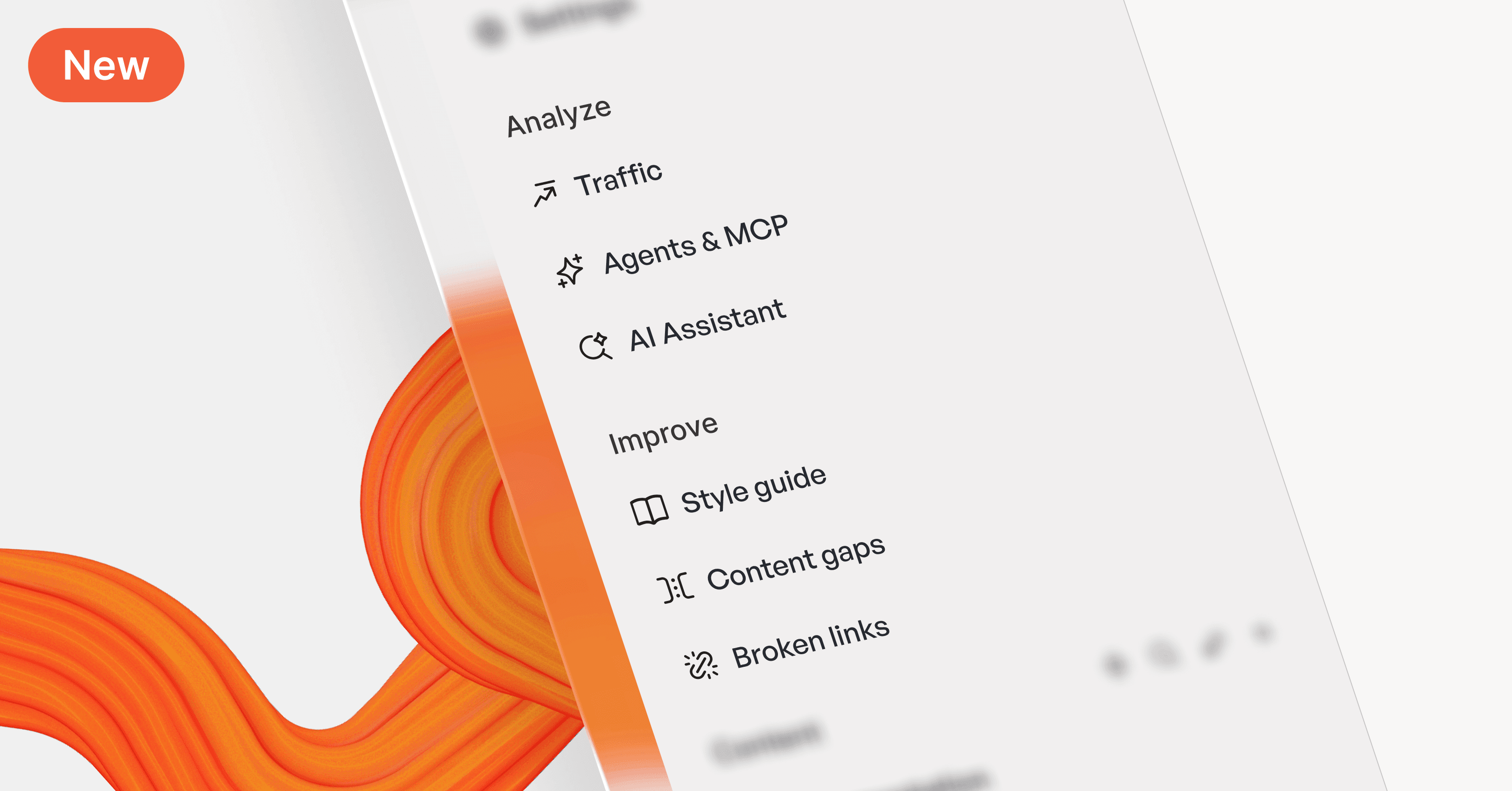
New this month: Faster performance, embeddable GitBook Assistant, enhanced navigation

New this month: Faster performance, embeddable GitBook Assistant, enhanced navigation

Product updates

Product updates

Product updates

30 Nov, 2025

Author

Author

Author

2x faster GitBook editor

As we race towards the end of the year, our tools are speeding up too. This month we’ve made GitBook easier to use through improved menu navigation, search experience, and faster performance.

Plus, we’ve improved the GitBook Assistant's design and launched the ability to embed it directly into your product. This connects your docs directly to your users, bringing knowledge right where they need it.

Let’s dive in.

Faster editor performance

We’ve made the editor 2x faster and more stable with backend improvements over the last few weeks. You’ll notice quicker load times, smoother editing, and fewer interruptions. Faster performance means your team spends less time waiting and more time shipping 🚀

We're proud of this milestone and committed to making GitBook even faster.

Embed docs directly into your product

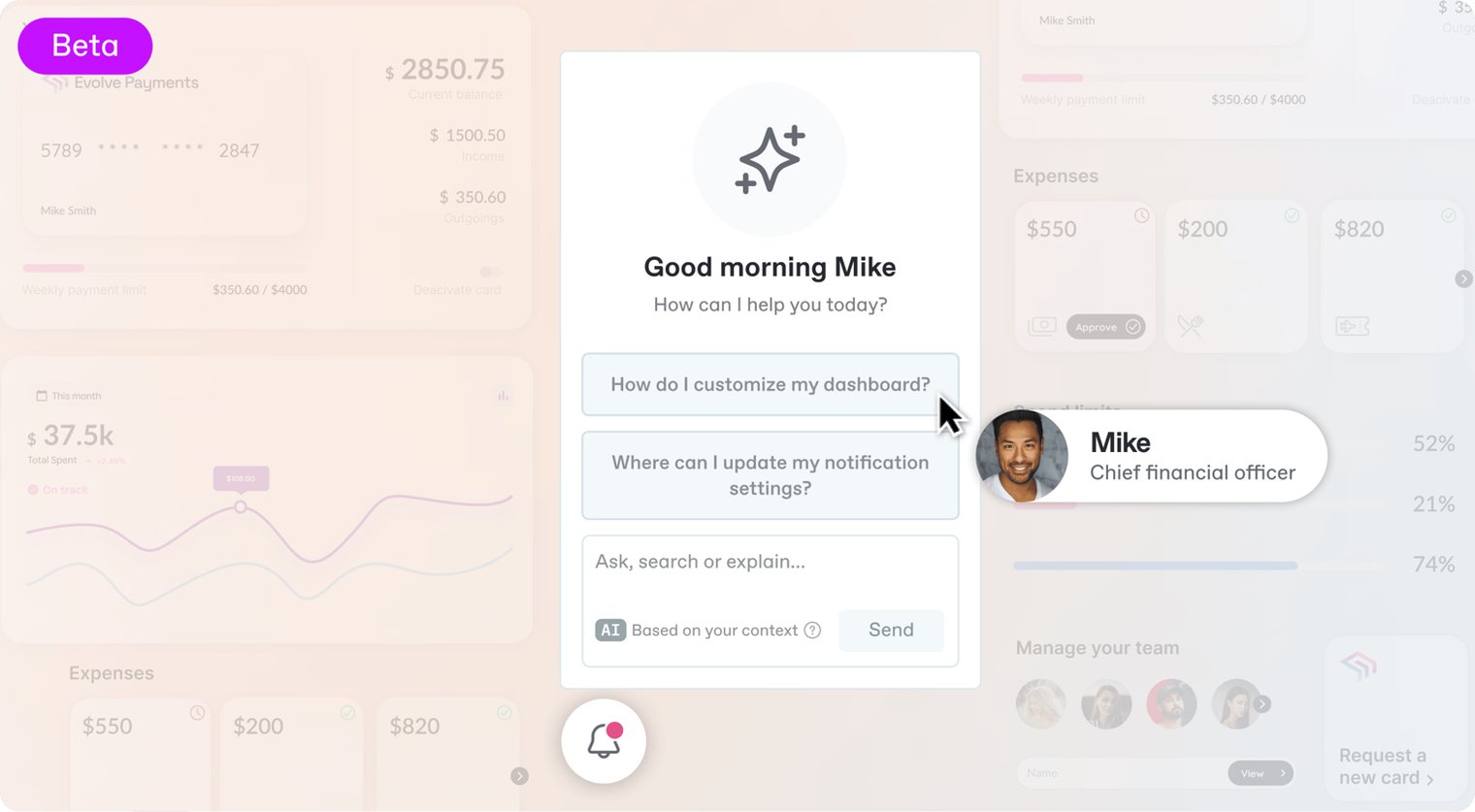
GitBook Assistant is now embeddable! You can embed Assistant within your product, website or anywhere else. It’s like giving every user a 24/7 product expert right where they need it. Users get instant access from your docs, and other MCP-connected tools, without leaving your product.

Integrating is simple: choose the embedding method that best fits your tech stack, customize the AI Assistant to your needs, and you’re done. This is currently in beta, but we believe this will fundamentally change how users access product knowledge.

Head to the Assistant documentation to find out more.
Design and navigation improvements

Improved menu UI and accessibility

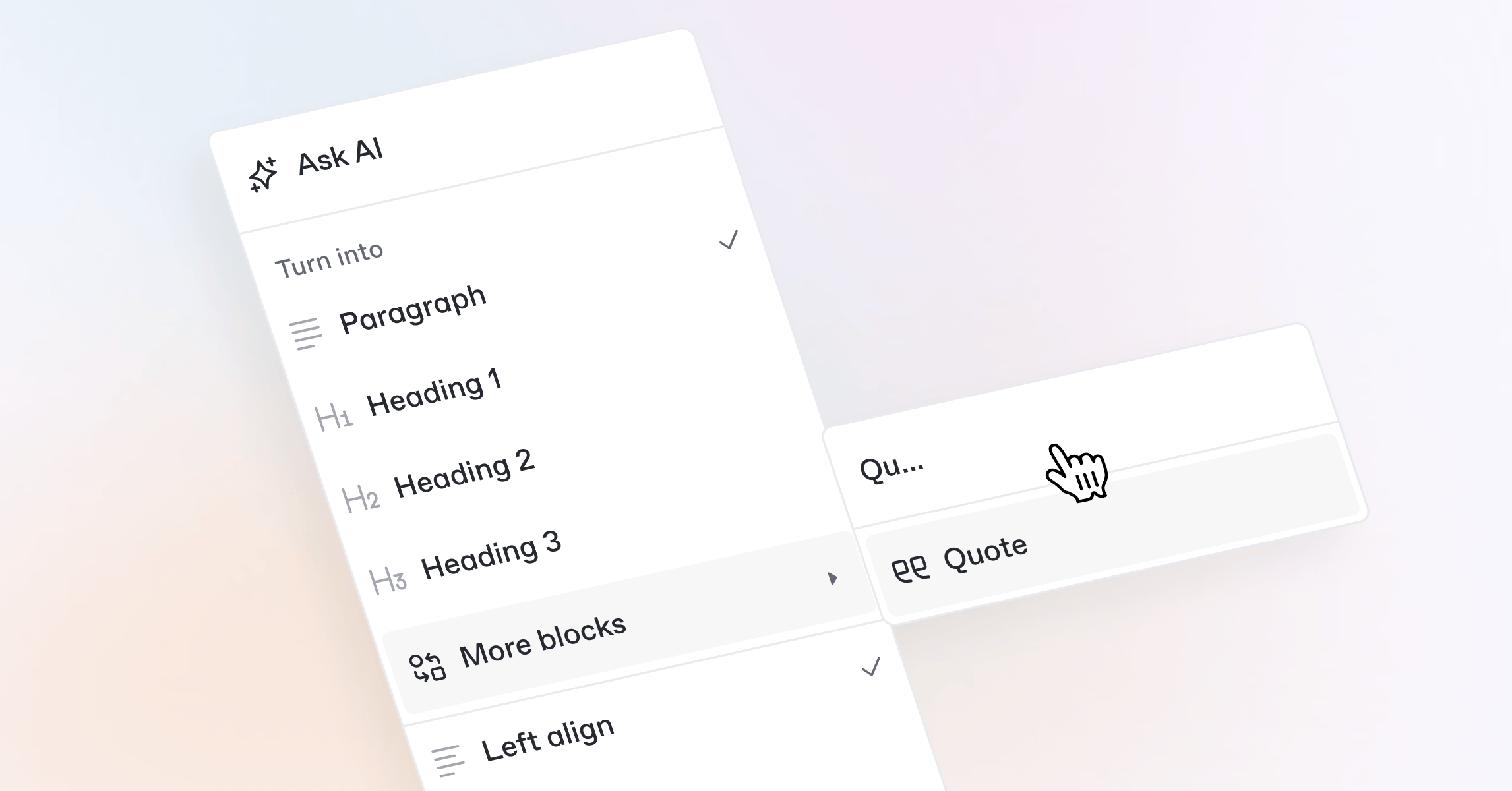
Every menu in GitBook now includes search and improved keyboard navigation. Which makes it easier than ever to find what you need fast — simply open a menu and start typing

This menu search also includes submenu entries. So if you open a space’s Actions menu and type ‘Share’ it will show not only the Share menu item, but also the two submenu items within it — so you can quickly find and select what you need without much manual navigation.

We’ve also improved focus management. So you can now navigate menus with your keyboard and mouse more easily — without jumping to other submenus by accident.
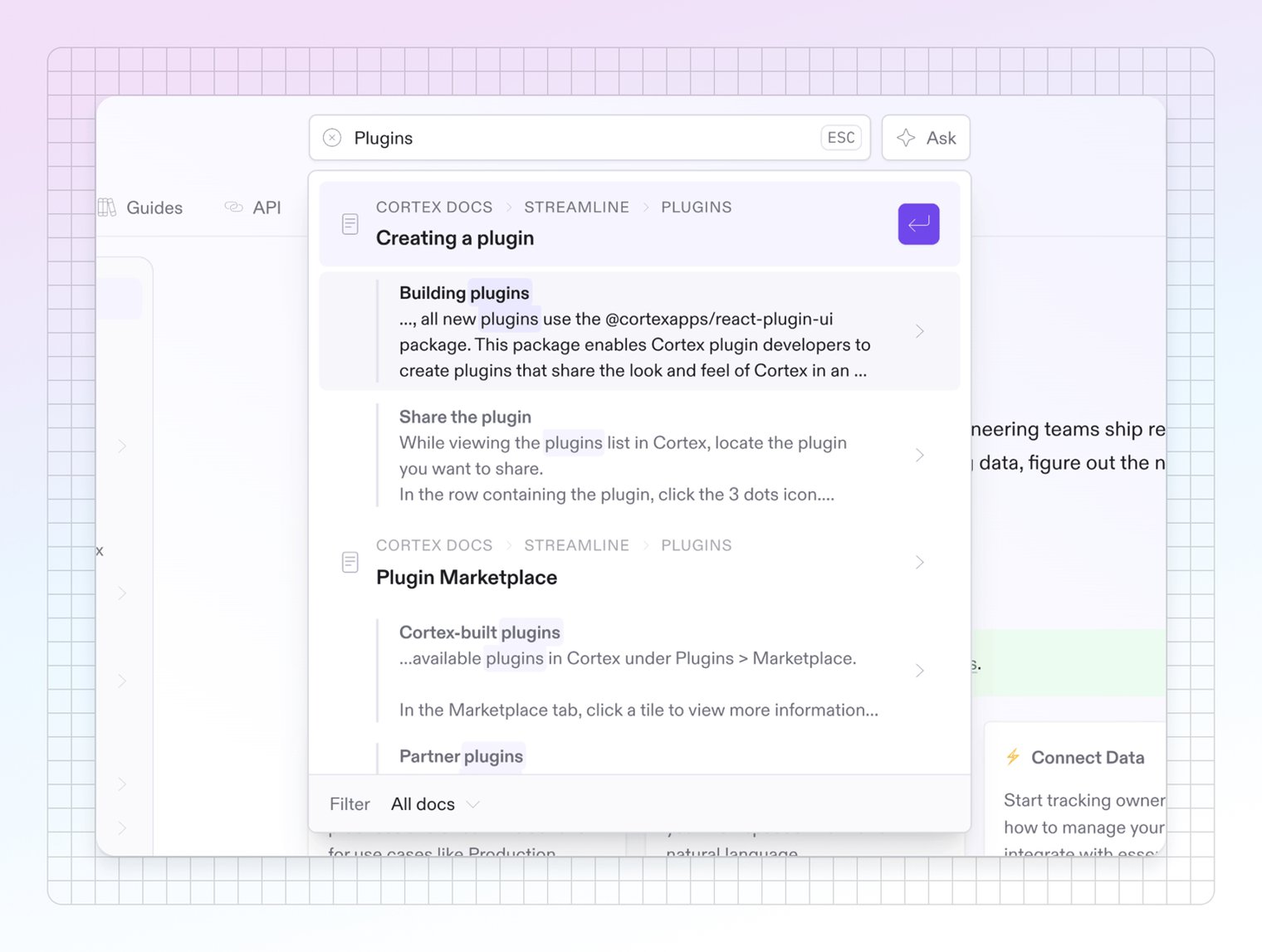
If your site is complex — with a lot of sections or variants — sometimes it’s hard to know if search is taking your users to precisely the page they need.

To make it easier for your users to be confident about choosing a result, we’ve added breadcrumbs to search results. Now they won’t just see the page title and relevant text from the page — they’ll also see the site section, variant, and page group that it lives inside.
Support for both versions and languages

You can now use content variants and translations variants together in the same docs site. So you can serve users on different product versions (e.g. v1, v2) and in multiple languages, without having to maintain separate sites or choose between versioning and translation. GitBook automatically detects both and displays the version selector in the sidebar and the language selector in the header.

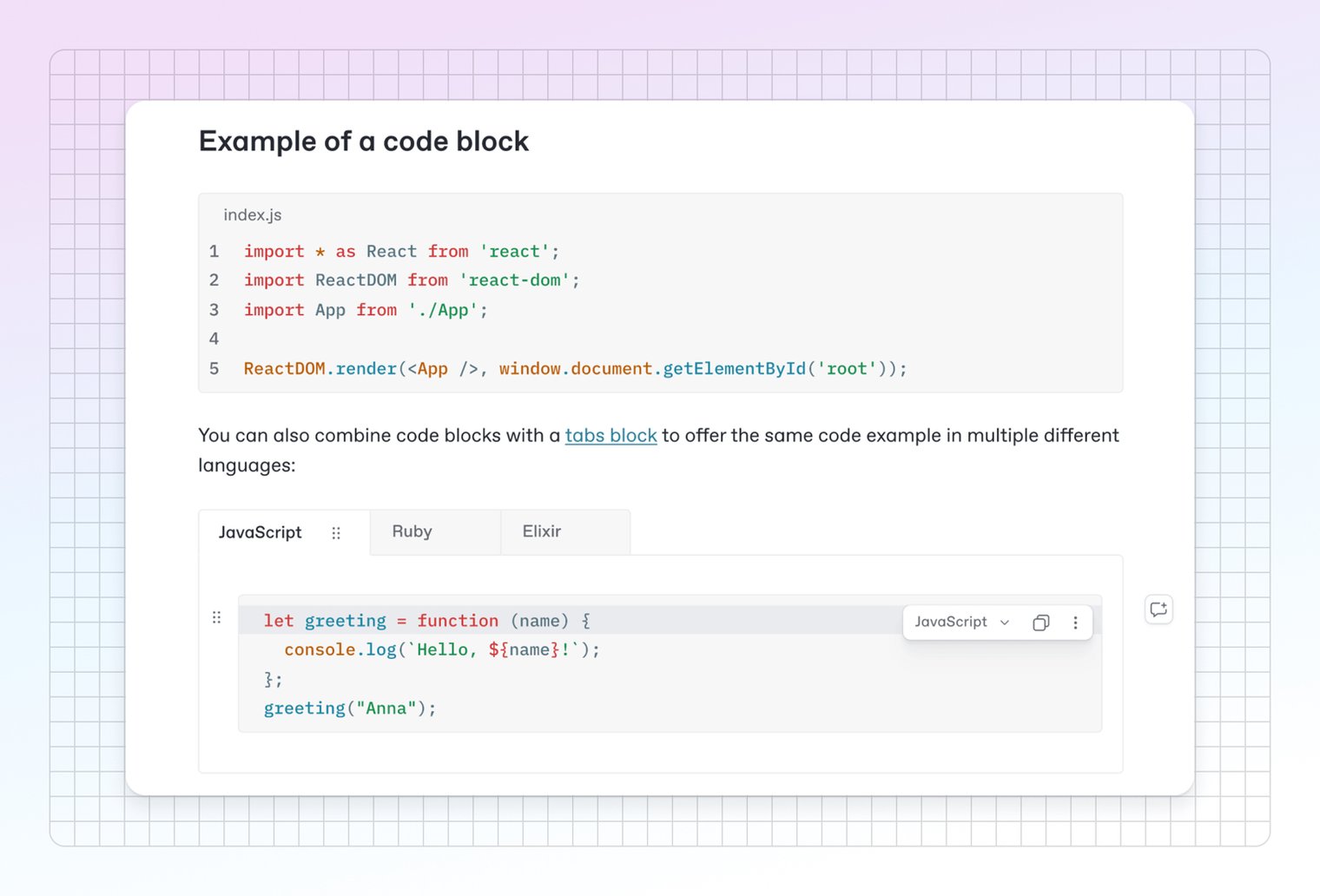
Shiki syntax highlighting in code blocks

Code blocks in the editor now use Shiki for syntax highlighting. That means that your code blocks won’t just have great performance — they’ll also render much more consistently with your published docs.

Plus, the code highlights use your site’s custom primary and semantic colors for a true WYSIWYG experience.
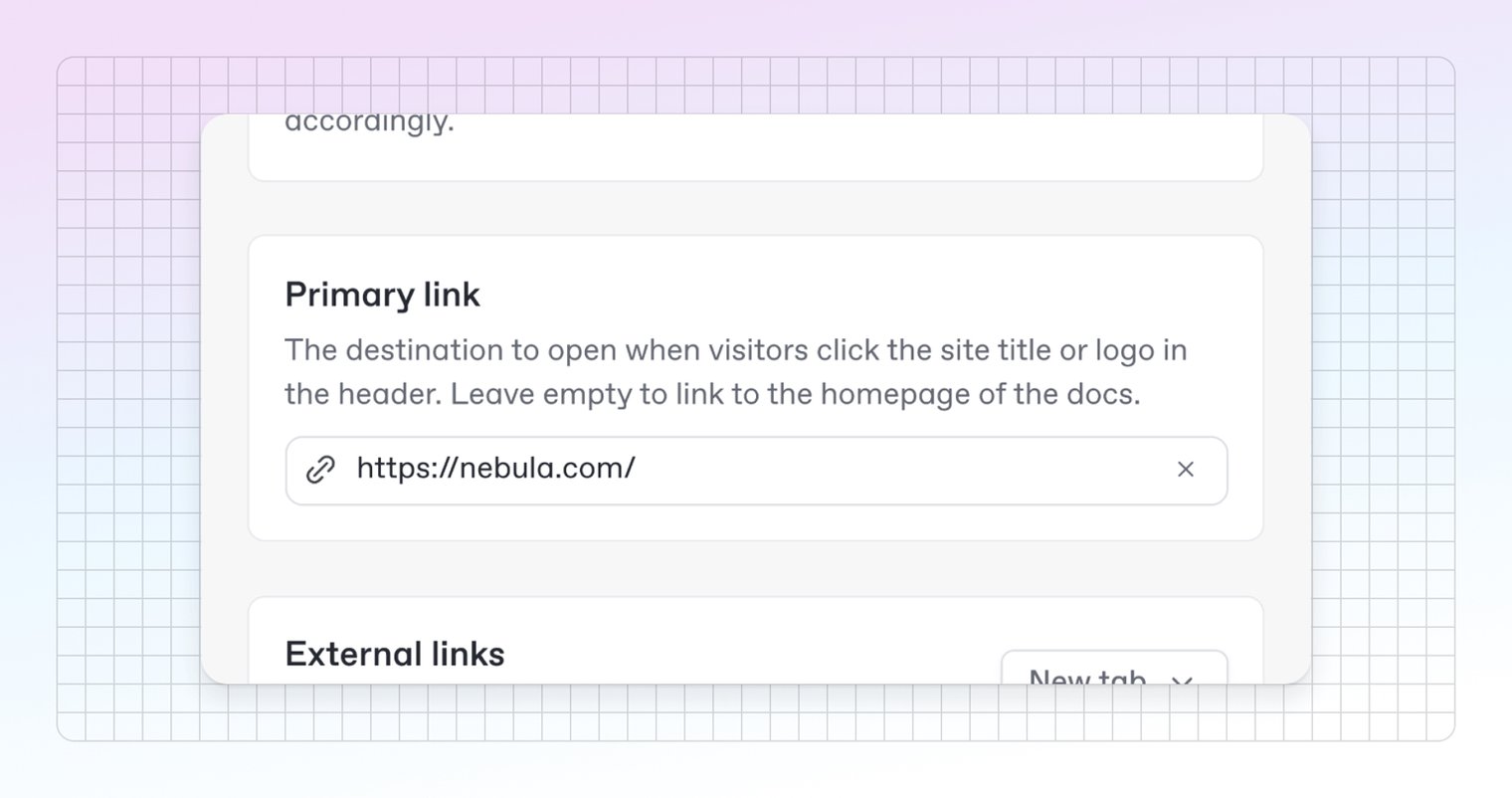
You can now set a custom link for the logo in the top-left corner of your published docs site. If your docs are part of a larger website, this can help visitors navigate back to your own landing page.

By default, clicking the logo or site title will lead users back to the first page of your docs site. But you can now set a custom URL outside your site — or a page, section or variant on your site — to be opened instead.
That’s not all...

That’s just a short recap of this month’s standout releases. But we shipped more than we can fit here — so head over to the changelog to read about everything else that went live in November.

→ Read the changelog

→ Get started with GitBook for free

→ Last month’s updates — new keyboard shortcuts, better search and more

As we race towards the end of the year, our tools are speeding up too. This month we’ve made GitBook easier to use through improved menu navigation, search experience, and faster performance.

Plus, we’ve improved the GitBook Assistant's design and launched the ability to embed it directly into your product. This connects your docs directly to your users, bringing knowledge right where they need it.

Let’s dive in.

Faster editor performance

We’ve made the editor 2x faster and more stable with backend improvements over the last few weeks. You’ll notice quicker load times, smoother editing, and fewer interruptions. Faster performance means your team spends less time waiting and more time shipping 🚀

We're proud of this milestone and committed to making GitBook even faster.

Embed docs directly into your product

GitBook Assistant is now embeddable! You can embed Assistant within your product, website or anywhere else. It’s like giving every user a 24/7 product expert right where they need it. Users get instant access from your docs, and other MCP-connected tools, without leaving your product.

Integrating is simple: choose the embedding method that best fits your tech stack, customize the AI Assistant to your needs, and you’re done. This is currently in beta, but we believe this will fundamentally change how users access product knowledge.

Head to the Assistant documentation to find out more.

Design and navigation improvements

Improved menu UI and accessibility

Every menu in GitBook now includes search and improved keyboard navigation. Which makes it easier than ever to find what you need fast — simply open a menu and start typing

This menu search also includes submenu entries. So if you open a space’s Actions menu and type ‘Share’ it will show not only the Share menu item, but also the two submenu items within it — so you can quickly find and select what you need without much manual navigation.

We’ve also improved focus management. So you can now navigate menus with your keyboard and mouse more easily — without jumping to other submenus by accident.

If your site is complex — with a lot of sections or variants — sometimes it’s hard to know if search is taking your users to precisely the page they need.

To make it easier for your users to be confident about choosing a result, we’ve added breadcrumbs to search results. Now they won’t just see the page title and relevant text from the page — they’ll also see the site section, variant, and page group that it lives inside.

Support for both versions and languages

You can now use content variants and translations variants together in the same docs site. So you can serve users on different product versions (e.g. v1, v2) and in multiple languages, without having to maintain separate sites or choose between versioning and translation. GitBook automatically detects both and displays the version selector in the sidebar and the language selector in the header.

Shiki syntax highlighting in code blocks

Code blocks in the editor now use Shiki for syntax highlighting. That means that your code blocks won’t just have great performance — they’ll also render much more consistently with your published docs.

Plus, the code highlights use your site’s custom primary and semantic colors for a true WYSIWYG experience.

You can now set a custom link for the logo in the top-left corner of your published docs site. If your docs are part of a larger website, this can help visitors navigate back to your own landing page.

By default, clicking the logo or site title will lead users back to the first page of your docs site. But you can now set a custom URL outside your site — or a page, section or variant on your site — to be opened instead.

That’s not all...

That’s just a short recap of this month’s standout releases. But we shipped more than we can fit here — so head over to the changelog to read about everything else that went live in November.

→ Read the changelog

→ Get started with GitBook for free

→ Last month’s updates — new keyboard shortcuts, better search and more

As we race towards the end of the year, our tools are speeding up too. This month we’ve made GitBook easier to use through improved menu navigation, search experience, and faster performance.

Plus, we’ve improved the GitBook Assistant's design and launched the ability to embed it directly into your product. This connects your docs directly to your users, bringing knowledge right where they need it.

Let’s dive in.

Faster editor performance

We’ve made the editor 2x faster and more stable with backend improvements over the last few weeks. You’ll notice quicker load times, smoother editing, and fewer interruptions. Faster performance means your team spends less time waiting and more time shipping 🚀

We're proud of this milestone and committed to making GitBook even faster.

Embed docs directly into your product

GitBook Assistant is now embeddable! You can embed Assistant within your product, website or anywhere else. It’s like giving every user a 24/7 product expert right where they need it. Users get instant access from your docs, and other MCP-connected tools, without leaving your product.

Integrating is simple: choose the embedding method that best fits your tech stack, customize the AI Assistant to your needs, and you’re done. This is currently in beta, but we believe this will fundamentally change how users access product knowledge.

Head to the Assistant documentation to find out more.

Design and navigation improvements

Improved menu UI and accessibility

Every menu in GitBook now includes search and improved keyboard navigation. Which makes it easier than ever to find what you need fast — simply open a menu and start typing

This menu search also includes submenu entries. So if you open a space’s Actions menu and type ‘Share’ it will show not only the Share menu item, but also the two submenu items within it — so you can quickly find and select what you need without much manual navigation.

We’ve also improved focus management. So you can now navigate menus with your keyboard and mouse more easily — without jumping to other submenus by accident.

If your site is complex — with a lot of sections or variants — sometimes it’s hard to know if search is taking your users to precisely the page they need.

To make it easier for your users to be confident about choosing a result, we’ve added breadcrumbs to search results. Now they won’t just see the page title and relevant text from the page — they’ll also see the site section, variant, and page group that it lives inside.

Support for both versions and languages

You can now use content variants and translations variants together in the same docs site. So you can serve users on different product versions (e.g. v1, v2) and in multiple languages, without having to maintain separate sites or choose between versioning and translation. GitBook automatically detects both and displays the version selector in the sidebar and the language selector in the header.

Shiki syntax highlighting in code blocks

Code blocks in the editor now use Shiki for syntax highlighting. That means that your code blocks won’t just have great performance — they’ll also render much more consistently with your published docs.

Plus, the code highlights use your site’s custom primary and semantic colors for a true WYSIWYG experience.

You can now set a custom link for the logo in the top-left corner of your published docs site. If your docs are part of a larger website, this can help visitors navigate back to your own landing page.

By default, clicking the logo or site title will lead users back to the first page of your docs site. But you can now set a custom URL outside your site — or a page, section or variant on your site — to be opened instead.

That’s not all...

That’s just a short recap of this month’s standout releases. But we shipped more than we can fit here — so head over to the changelog to read about everything else that went live in November.

→ Read the changelog

→ Get started with GitBook for free

→ Last month’s updates — new keyboard shortcuts, better search and more

Get the GitBook newsletter

Get the latest product news, useful resources and more in your inbox. 130k+ people read it every month.

Email

Similar posts

Get started for free

Play around with GitBook and set up your docs for free. Add your team and pay when you’re ready.

The NVIDIA logo
The Carta logo
The Ericsson logo
The Cisco logo
The Fedex logo
The Zoom logo

Trusted by leading technical product teams

Get started for free

Play around with GitBook and set up your docs for free. Add your team and pay when you’re ready.

The NVIDIA logo
The Carta logo
The Ericsson logo
The Cisco logo
The Fedex logo
The Zoom logo

Trusted by leading technical product teams

Get started for free

Play around with GitBook and set up your docs for free. Add your team and pay when you’re ready.

The NVIDIA logo
The Carta logo
The Ericsson logo
The Cisco logo
The Fedex logo
The Zoom logo

Trusted by leading technical product teams